
S3 Compatible Storage Providers: How to Compare Options
September 2026 · 8 min read · Surya
Every comparison post about S3 compatible storage providers opens with a feature matrix. Columns for object lock, columns for versioning, ticks and crosses. It is almost entirely useless. Every serious S3-compatible provider passes the same basic test, which is exactly why the checklist tells you nothing. They all speak the API. They all return an ETag. They all let you PUT an object and get it back. If the matrix were the decision, the decision would already be made and you would not be reading this.
The things that actually cost you money are narrower and uglier. What does egress cost, and under what pricing model? How awkward is it to get your data back out once you have put it in? And do the operations you quietly depend on, versioning, object lock, presigned URLs, behave the same way after you leave the hyperscaler you learned them on? Answer those three and you have made the decision. Skip them and you have bought a logo.
"S3 compatible" tells you almost nothing about what you are actually buying
S3 compatibility is an API contract, not a service guarantee. It means the provider implements enough of the S3 REST surface that your SDK does not throw. It says nothing about consistency semantics under load, nothing about how long a multipart upload can stay incomplete, nothing about whether object lock is real WORM or a checkbox, and nothing at all about what happens to your bill when you read the data back.
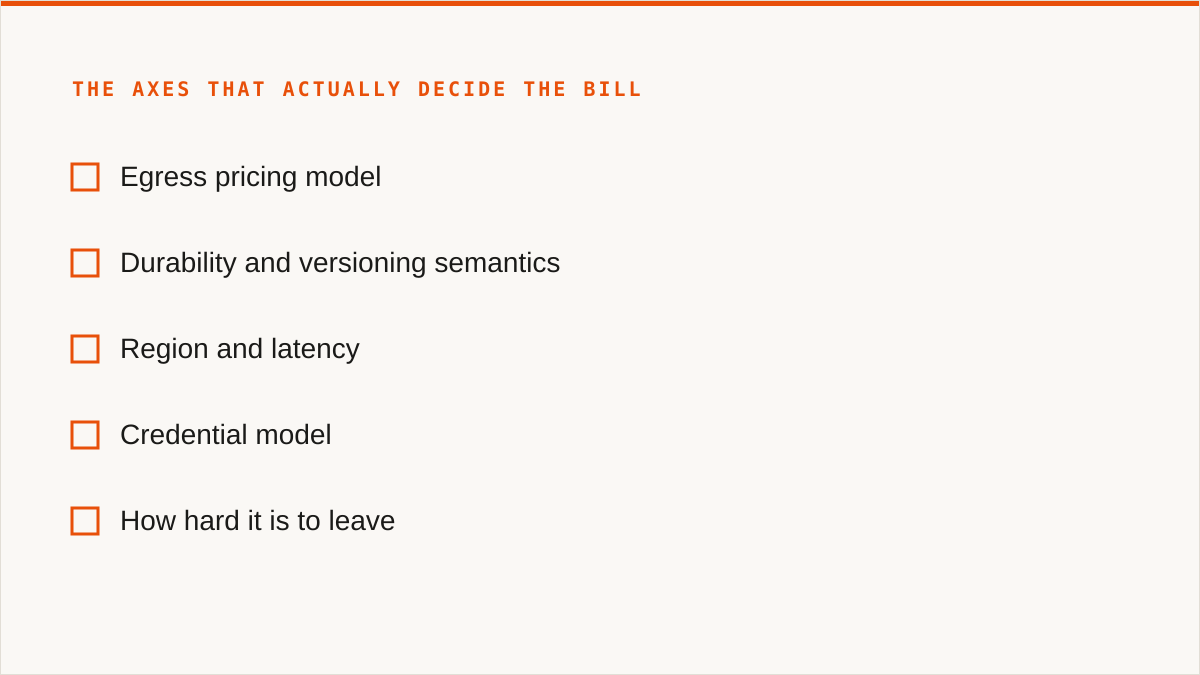
So define your axes before you shop. Ours, in the order we think they matter:
- Egress pricing model. Some providers charge per gigabyte out. Some charge nothing and make it up on storage or request counts. Some charge a lot but throw in a free allowance. The model matters more than the headline rate because your read pattern determines which one bites.
- Durability and versioning semantics. Versioning that silently expires old versions is not the versioning you tested against. Object lock that only holds for a retention window you cannot extend is not compliance.
- Region and latency. Where the buckets physically sit relative to the compute that reads them. Boring, and usually the difference between a fast job and a slow one.
- Credential model. Static keys in a config file, or role assumption, or short-lived tokens. This decides how much of your security review you can automate.
- How hard it is to leave. The axis nobody puts in the matrix, and the one that decides your next three years.
The provider families are not interchangeable, and any article that treats them as one category is selling something. Hyperscalers (AWS, Azure via S3-compatible gateways, GCP) give you the deepest feature set and the most expensive exit. Egress-free providers (Cloudflare R2, Backblaze B2, Wasabi, IDrive e2) restructure the bill so reads are cheap or free and storage carries the weight. Storage-only providers do object storage and little else, often very cheaply. Self-hosted means MinIO or Ceph on hardware you own, where egress is your own switch port. Decentralised options like Storj price and locate storage differently again. Five families, five different bills for the same bytes.
How to compare them in five steps, with the one number that decides most migrations
This is the part people skip, and it is the whole job.
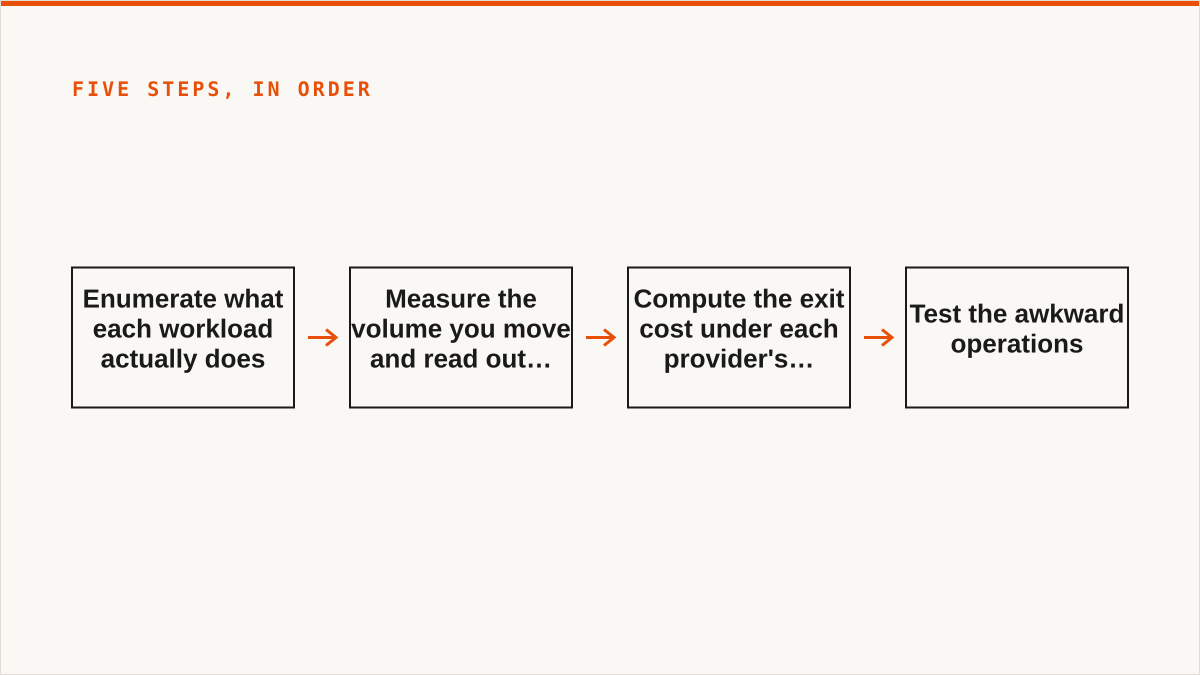
- Enumerate what each workload actually does. Split your buckets into read-heavy and write-once. A backup target that is written and never read behaves nothing like a media origin that serves every request from egress. You will find most organisations have both and have been pricing them as one.
- Measure the volume you move and read out monthly. Not the total stored. The monthly write volume and the monthly read-out volume. These are the two numbers that drive every provider's bill, and they are usually the two numbers nobody has.
- Compute the exit cost under each provider's pricing model. Not today's exit. The exit you would run if you decided to leave in eighteen months with all your data. This is the number that decides most migrations, and it is the one no provider puts on the pricing page. A provider that charges nothing to read out is a provider you can walk away from cheaply. That optionality has a price, and sometimes it is worth paying.
- Test the awkward operations. Multipart upload with a part failure in the middle. Versioning, then delete a version and confirm it is gone. Object lock, and whether you can actually extend retention. Presigned URLs with a short expiry, fetched from outside your network. CORS with your real origin, not a wildcard. Every one of these has a provider somewhere that implements it "mostly".
- Check the credential and automation story. Can you connect with role assumption instead of a long-lived key? Can the provider's API be driven from your existing tooling without a human clicking? For an enterprise, procurement cares about object lock, IAM and residency long before it cares about a nice console. Answer those and the console is a detail.
Once you know your axes, browse the provider list with the five answers in hand. That is the order: axes first, provider list second. Doing it the other way round is how people end up migrating twice.
The tool you use to run this comparison is a separate decision from the provider you pick
We are a control plane for object storage you already own. We never store your file contents. We connect 50+ S3-compatible providers plus any custom endpoint, and we let you browse, migrate, schedule syncs, search across buckets, set lifecycle and object-lock and CORS rules, detect duplicates, and see per-bucket cost. Flat subscription, no per-gigabyte charge, migrated bytes unmetered on every tier including Free. That is what we are. Now the part that matters more.
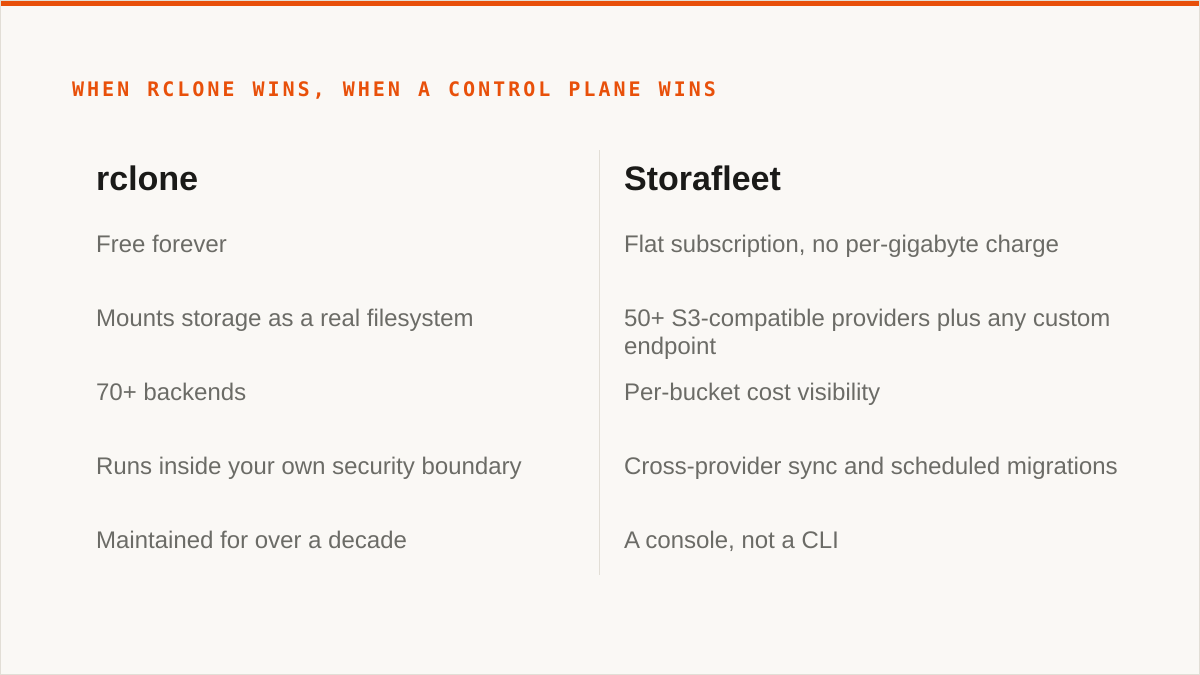
rclone is free forever and beats us on a long list of things. No account, no vendor, no subscription. It mounts storage as a real filesystem, which we cannot do at all. It supports 70+ backends, including the consumer clouds we deliberately do not touch. It composes with cron, systemd, CI pipelines, shell scripts and Makefiles the way a binary does, and a web UI never will. It runs entirely inside your own security boundary, so your keys never leave hardware you control, which is a stronger guarantee than our encrypted-at-rest database can honestly offer. It has been maintained for over a decade. On the question "will this still exist in five years", a decade-old open-source project has a better answer than a company that started in 2026.
Cyberduck and Mountain Duck win for one person with a few buckets. One-time licence or free, files stay on your machine, and they mount. If that is your situation, a subscription is a cost with no matching benefit. MultCloud and CloudFuze cover Google Drive, Dropbox and OneDrive, which we deliberately exclude. If the job is Drive-to-bucket, we are the wrong tool and those are the right ones. And the providers' own consoles are free, always current with that provider's newest features, and authoritative. If everything lives in one cloud and always will, that console is better than us and always will be.
So here is where we are actually useful, and it is narrow. Many providers, many buckets, and a migration you need to run on a schedule rather than by hand. Cross-provider sync where the source and destination are different vendors. Per-bucket cost visibility when your storage is spread across four of them. A team where the person who needs to move the data is not the person who writes the shell script. That is the job. If your job looks like that, we earn the subscription. If it does not, you should not buy it.
Who should not use Storafleet:
- Budget is zero. The conversation is over and rclone wins. It is genuinely free, permanently, and it does most of what we do.
- You need storage mounted as a filesystem. We have no FUSE surface. Use
rclone mount, Mountain Duck or ExpanDrive. - You need Google Drive, Dropbox, OneDrive or SFTP. We connect the S3-compatible family and custom S3 endpoints, and nothing else. Use rclone or MultCloud.
- Credentials must never leave hardware you control. Our encryption is real (AES-256-GCM, per-namespace HKDF keys) and AWS can be connected keylessly via IAM role assumption, but "the keys never left my laptop" is a stronger answer than ours. If that is the requirement, use rclone, or our IAM-role connect if AWS is the whole picture.
- Everything lives in one cloud and always will. That provider's console is free and more current than we are.
- The workflow is entirely code and always will be. A CLI composes with your pipeline natively. A console does not, and we are a console.
We have no case studies and no named customers to point at, and we are not going to invent either. What we have is a position: the comparison that matters is the exit, and the honest answer for a large number of readers is a free command-line tool, not a dashboard. Run the five steps anyway. Compute the exit number. Then decide, and be willing to decide against us.