
DigitalOcean CDN: How It Works and When to Use One
September 2026 · 12 min read · Surya
The DigitalOcean CDN is not a content delivery network in the sense that Cloudflare or Fastly are content delivery networks. It is an edge cache bolted in front of a single Spaces bucket. You enable it, you point a CNAME at it, and that is the entire product. If you searched for "digitalocean cdn" expecting an origin-pull CDN that sits in front of your Droplet, your app server, or anything with a dynamic response, the fuzzy version in your head is wrong and it is worth correcting before you spend an afternoon on DNS.
There is no origin to pull from. The origin is a Spaces bucket you already created, and that is the only origin the CDN will ever accept. One bucket. One edge hostname. One CNAME. Everything below follows from that single constraint.
DigitalOcean CDN Only Caches Spaces, Not Servers
The mechanism is a pull-through cache in front of exactly one Space. You enable CDN on a bucket, DigitalOcean assigns you an edge hostname, and requests hitting that hostname get served from edge locations. On a miss, the edge fetches from the bucket, caches the object, and serves it. That is the whole loop.
Three things happen when you flip it on.
- Edge locations are provisioned in front of that one Space. Not your region, not your Droplet, the bucket.
- You get a hostname under a DigitalOcean-controlled domain, which you can either use directly or replace with a custom subdomain via CNAME.
- Cache TTL is inherited from the
Cache-Controlheaders on the objects themselves. The CDN does not invent a TTL. If you uploaded objects withoutCache-Control, the edge does whatever the default says, and you did not choose that default.
And the thing it does not do, which is the part people get wrong: there is no arbitrary origin, no dynamic content, no image resizing, no worker hooks, no request rewriting, no edge logic of any kind. If you want to run code at the edge, you want something else. If you want to resize images on the fly, you want something else. If you want to proxy an API behind a CDN, you want something else. This is a cache for static objects in one bucket.
The order of operations in the panel
You go to the Space, open the CDN tab, and enable it. Behind the scenes DigitalOcean provisions the edge layer and hands you an edge hostname. That hostname is what your CNAME will point at. You do not get to choose the edge locations; they are whatever DigitalOcean runs.
What the CNAME actually points at
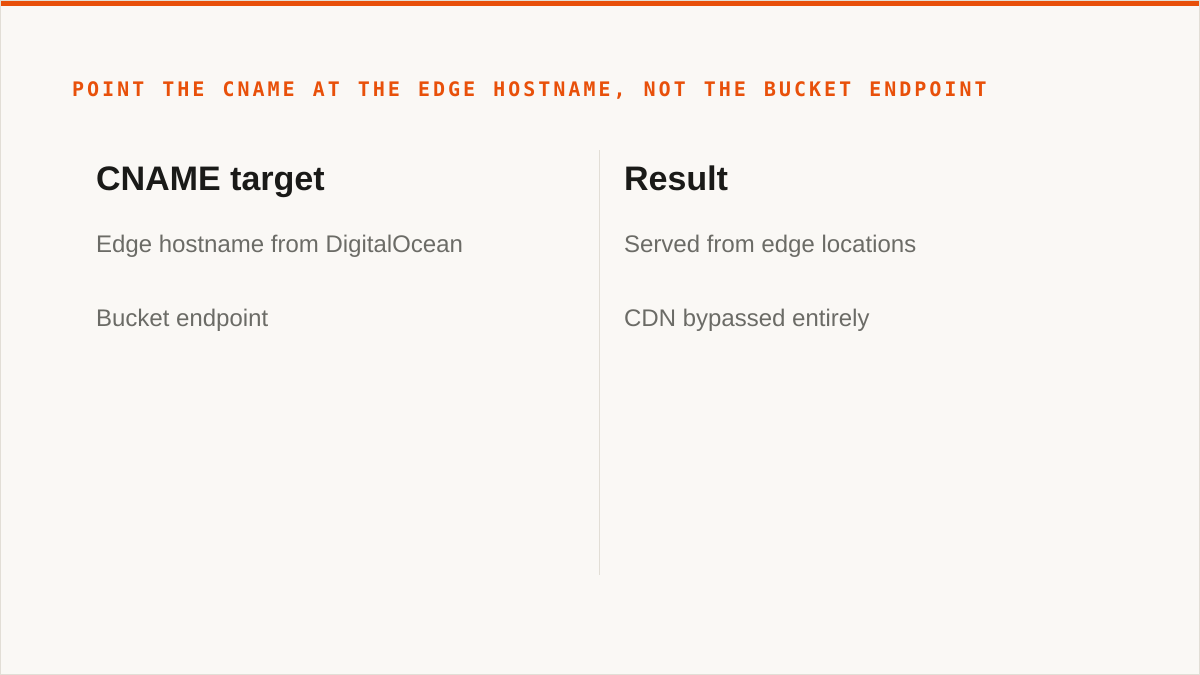
It points at the edge hostname DigitalOcean gives you, not at the bucket endpoint. This trips people up because the bucket endpoint and the edge hostname look similar and behave differently. Point your DNS at the bucket endpoint and you have bypassed the CDN entirely, which is a very quiet way to pay for something you are not using.
How invalidation works
You invalidate by path through the panel or API. There is no versioned purge, no tag-based invalidation, no surrogate keys. When you ship a wrong asset, you either wait out the TTL you set on the object or you issue an invalidation and wait for it to propagate. Set the TTL deliberately at upload time or you will be invalidating constantly. That is not a DigitalOcean flaw so much as the consequence of a cache that inherits from headers rather than a config file.
Spaces CDN + Custom Domain: The CNAME Is the Whole Config
If you want a custom domain on a Space, the CDN has to be enabled first. You cannot attach a custom domain to a bare bucket. The CDN is the thing that gives you a hostname worth pointing a CNAME at.
The steps, in order:
- Pick the Space. This is per-bucket, so pick correctly.
- Enable CDN on it. You now have an edge hostname.
- Decide whether to use the edge subdomain the panel gives you or a custom one.
- Add a CNAME at your DNS provider pointing at the edge hostname.
- Wait for DNS to propagate before the certificate is issued for the custom domain.
The certificate step is where most people get stuck. DigitalOcean cannot issue a cert for a hostname it cannot resolve, and it cannot resolve your custom domain until your CNAME is live and propagated. If you add the record and immediately start refreshing the panel wondering why the cert is not there, you are watching DNS do DNS. Come back in a bit.
Other things that bite:
- The bucket name still appears in some URLs. Do not assume a custom domain hides the bucket everywhere. If you have code or clients that build URLs from the bucket name, audit them.
Cache-Controlon upload determines edge TTL. Set it at upload time, in the SDK call or the upload tool, not after.- The CDN is per-Space. Five Spaces means five separate enablements, five edge hostnames, five CNAMEs, five certificates. There is no bucket group, no shared config, no wildcard across buckets.
- A Space without CDN is just S3 over TLS. That is not a knock. For a lot of workloads it is exactly right and you should not be enabling anything.
If you are already running Cloudflare in front of your domain, stop here and use Cloudflare. You can point a Cloudflare CNAME at the Spaces bucket endpoint, set your own cache rules, get real header control and a WAF and image resizing on the same hostname, and pay nothing for the CDN layer. The DigitalOcean CDN is strictly less capable than what you already have, and enabling it would put a second cache between you and your users for no gain. We do not sell a CDN and we are not going to pretend the DigitalOcean one beats Cloudflare, because it does not. If you want to see how we handle CDN configuration alongside CORS, lifecycle and public-access settings across providers, there is a page on that. It is relevant to a narrow set of people and we will say who.
A Checklist for Deciding Whether a CDN Belongs in Front of Your Bucket
This is not a list of reasons to enable the CDN. It is a list of questions where a "no" is a real answer.
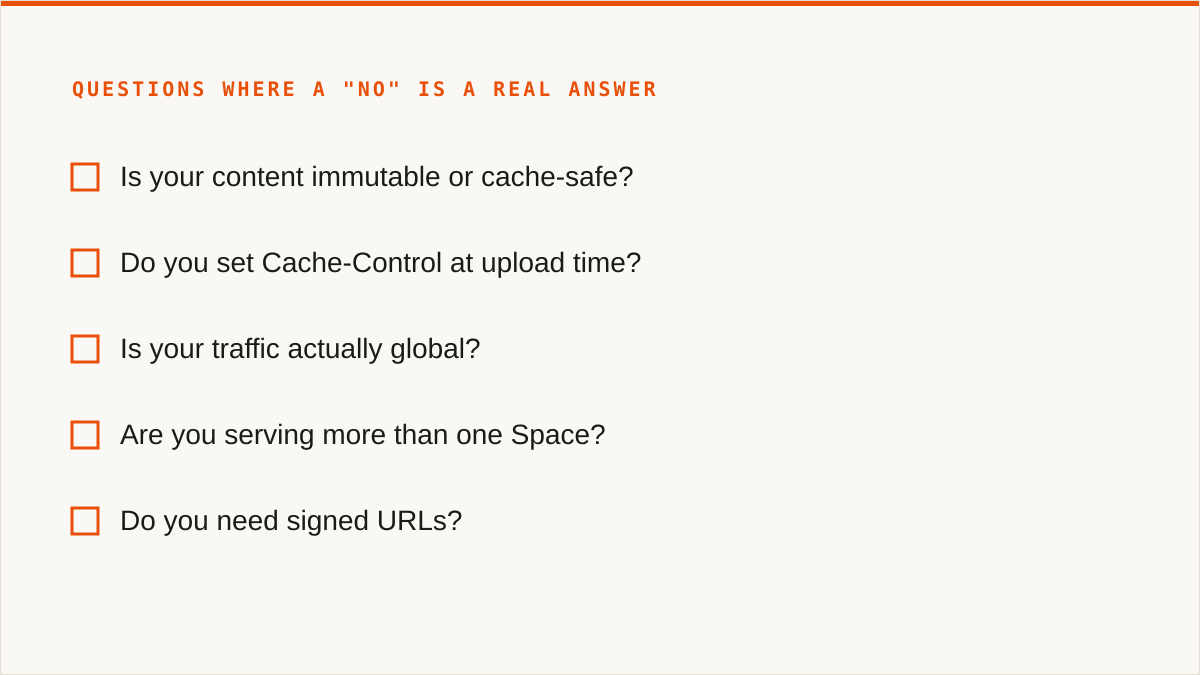
- Is your content immutable or cache-safe? If objects change under the same key and clients cache aggressively, you are building an invalidation problem. Content-addressed keys (hashes, versioned paths) make the CDN boring, which is what you want.
- Do you set
Cache-Controlat upload time? Or are you letting the default leak through? If you cannot answer this, find out before you enable anything, because the default is now your production cache policy. - Is your traffic actually global? Or is it one region pretending to be global? A CDN in front of a bucket that serves one metro is a bill, not a latency improvement.
- Are you serving more than one Space? If so, enabling CDN per-Space changes your origin design. Five buckets means five hostnames means five sets of DNS and certs. Decide whether you want that shape or whether you should consolidate.
- Do you need signed URLs? And does that interact correctly with the edge? Test this before you ship, not after. Signed access through a cache is a place where assumptions go to die.
- What is your invalidation plan when you ship a wrong asset? Not "we will invalidate." The actual plan, with a path, and who runs it, and how long it takes.
- Are you paying for bandwidth twice? Once at Spaces egress and once at the CDN, or is the CDN egress the only bill? Read the pricing model carefully. This is the single most common way a CDN decision becomes a finance conversation.
- Is your origin already authoritative, or is it just a bucket you happened to upload to? A CDN in front of a bucket nobody owns is a cache in front of an accident.
On the last two items specifically: the DigitalOcean panel will not show you whether the CDN is saving you anything, because it only knows about DigitalOcean. It cannot tell you that the same bytes are cheaper to serve from another provider, or that your egress pattern makes the whole edge layer pointless. We give you per-bucket cost visibility and CORS/lifecycle configuration across providers, in one console, so the CDN decision is made against actual numbers rather than a vibe. That is a narrow thing. It is the thing we are good at.
Where Do the Spaces Secrets Actually Live?
Here is the question the whole post has been walking toward, and it is not a CDN question. To enable that CDN, to upload those objects with the right Cache-Control, to invalidate by path, to point the CNAME, you needed a Spaces access key. Where is it?
For most people the honest answer is: in a .env on a Droplet, in a CI secret, in a colleague's password manager, in a shell history file nobody has looked at since the bucket was created, and in whatever laptop last ran the upload script. Four copies, three of them unrotated, one of them on a machine that left the company in a backpack.
That is the actual cost of a per-bucket CDN. Not the egress. The fact that every Spaces you enable multiplies the number of places a long-lived static key has to exist, and DigitalOcean's model gives you one key pair per account that can reach every bucket you own. There is no per-bucket scoping in the Spaces key model. You either trust the key everywhere or you rotate it and break every script at once.
This is the decision the CDN forces and nobody frames it that way. Enabling CDN on a second Space is, in practice, a decision to widen the blast radius of a credential. If the key leaks, it leaks the CDN origin, the private bucket, and every other Space the same key touches. The edge cache did not cause that. The enablement just made you use the key one more time.
We think the right answer is to keep the credential out of the upload path entirely where you can, and to have one place that knows which key reaches which bucket. That is a real design choice, and it is the one we made: credentials encrypted at rest with AES-256-GCM under per-namespace HKDF keys, AWS reachable keylessly via IAM role assumption, and a single console that shows you which connection touches which bucket. It does not make the Spaces key model better. It just stops you from losing track of which copy is live.
If you are one person with one bucket and one key in one .env, none of this applies to you, and you should ignore the paragraph above and go set your TTL. The secret-management problem is a function of scale, and at scale one it does not exist.
Who Should Not Put a CDN in Front of Spaces, and What to Use Instead
rclone is free, permanently, and it is better than us at several things that matter. It supports over 70 backends, including consumer clouds we deliberately do not touch. It mounts. It scripts. It runs inside your own security boundary, so your credentials never leave hardware you control. It has been maintained for over a decade. If you are managing Spaces buckets and you want to do it with a binary that composes with cron, systemd and CI, rclone is the answer and we are not.
For a single person managing a few buckets who wants no subscription at all, Cyberduck or S3 Browser is a one-time licence and your files stay on your machine. They mount. They are better than us for that job.
MultCloud and CloudFuze cover Google Drive, Dropbox and OneDrive, which we deliberately do not. If your workflow involves moving files out of a consumer cloud, we are the wrong tool and they are the right one.
And if everything lives in one cloud and always will, that provider's own console is free, always current with that provider's newest features, and authoritative in a way we will never be. Use it.
Now the verdict, plainly.
If your budget for this is zero, rclone wins and the conversation is over. Not "consider rclone." rclone wins. It does more, it costs nothing, and it will outlive us.
If you need storage mounted as a filesystem, we cannot help. There is no FUSE surface in Storafleet. Use rclone mount, Mountain Duck or ExpanDrive.
If your credentials must never leave hardware you control, rclone is a stronger answer than ours. We encrypt credentials at rest with AES-256-GCM using per-namespace HKDF keys, and AWS can be connected keylessly via IAM role assumption. That is real. It is also not the same as "the keys never left my laptop," and pretending otherwise would be dishonest.
If the workflow is entirely code and always will be, a CLI composes and a console never will. Use a CLI.
And if you need Google Drive, Dropbox, OneDrive or SFTP, we do not connect those. We connect the S3-compatible family and any custom S3 endpoint. That is it.
Where Storafleet actually fits is narrower than a landing page would imply. You have buckets in more than one provider. You want the CDN decision made in the same console as the CORS, lifecycle and public-access settings, because making them in three different panels is how misconfigurations happen. You want to see per-bucket cost across providers so you can tell whether the edge layer is earning its keep. And you can live with the fact that we are a small team, that Storafleet started in 2026, and that we have no named customers to point at. On the question of whether we will still exist in five years, a decade-old open-source project has a better answer than we do.
That is the honest shape of it. The DigitalOcean CDN is a fine cache for a Spaces bucket and nothing more. Whether you enable it is a content question. Whether you keep managing the secrets that make it work inside one provider's console is a different question, and it is the one that actually costs people sleep.