
Wasabi S3 endpoint, region, and credential bootstrap for CLI tools
October 2026 · 8 min read · Surya
You copied an aws s3 ls line out of a runbook, pasted it into a shell with your Wasabi keys exported, and got back:
An error occurred (InvalidRegion) when calling the ListBuckets operation:
The region 'us-east-1' is wrong; expecting 'us-east-1'
Read that twice. It says your region is wrong, then tells you the region you supplied is the one it expects. This is the first thing Wasabi does to people who assume S3 compatibility means S3 equivalence. The error is not lying, exactly. It is complaining about something your brain filed under "irrelevant" five minutes ago, and it is naming a place Wasabi's own control plane does not have.
Wasabi speaks S3, but its endpoint and region vocabulary are not AWS's
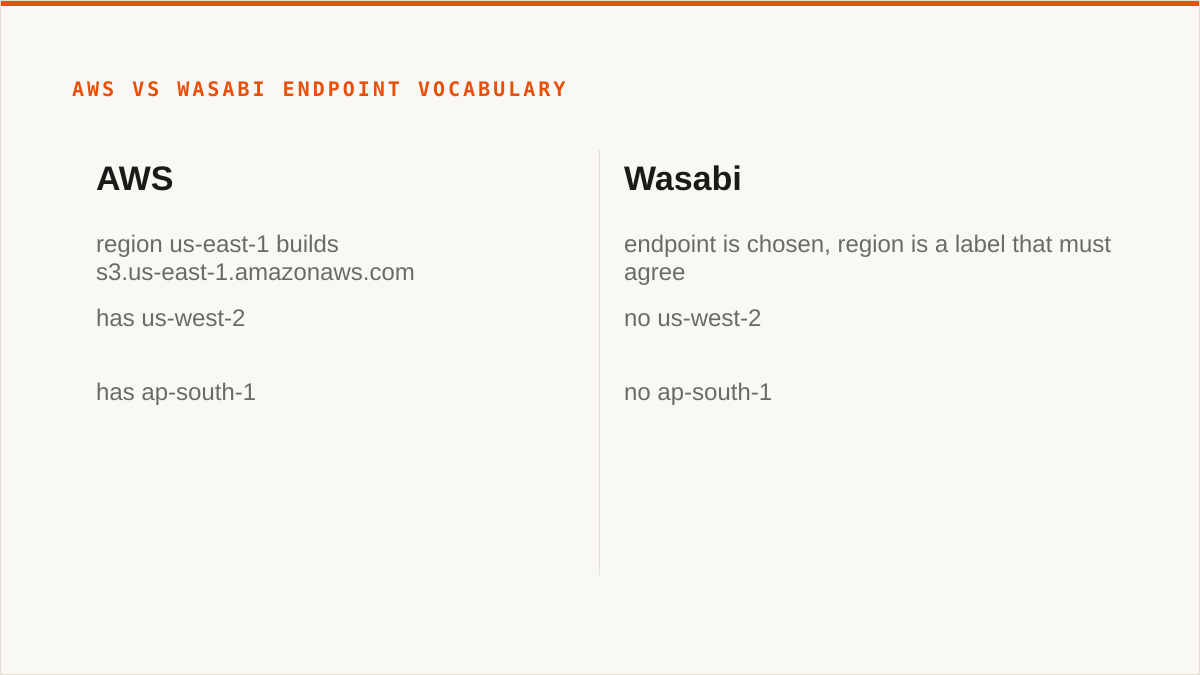
An endpoint is the hostname your SDK resolves, signs against, and dials. Get it wrong and nothing else you configure matters. For AWS, the endpoint is derived: you say us-east-1 and the SDK builds s3.us-east-1.amazonaws.com for you. For Wasabi, the endpoint is the thing you actually choose, and the region string is a label you attach to it that must agree with it.
Wasabi's endpoints look like this:
https://s3.us-east-1.wasabisys.com
https://s3.us-east-2.wasabisys.com
https://s3.eu-central-1.wasabisys.com
https://s3.ap-southeast-1.wasabisys.com
Those region fragments are Wasabi's own. They overlap with AWS names in a few places (us-east-1, eu-central-1) which is precisely the trap, because the overlap trains you to believe the vocabulary is shared. It is not. Wasabi does not have us-west-2. It does not have ap-south-1. If your muscle memory types an AWS region, you get an error that reads like a bug in the tool.
The region string is fixed and load-bearing even though it looks decorative. It is not decoration. It goes into the SigV4 signature. If your endpoint says us-east-2 and your region variable says us-east-1, the signature is computed over a region that does not match the host you are talking to, and Wasabi rejects it. Some tools surface this as a signature mismatch, some as the confusing region error above, and some, unhelpfully, as a 403 that mentions no region at all.
Here is the config that works. AWS CLI first, because that is what everyone reaches for:
aws configure set aws_access_key_id     YOUR_WASABI_KEY
aws configure set aws_secret_access_key YOUR_WASABI_SECRET
aws configure set region                us-east-2

aws s3 ls --endpoint-url https://s3.us-east-2.wasabisys.com
Notice the region and the endpoint region agree. That is the whole discipline. If you want it permanent for a profile, edit ~/.aws/config directly because aws configure will not write an endpoint URL for you:
[profile wasabi]
region = us-east-2
endpoint_url = https://s3.us-east-2.wasabisys.com
s3 =
    addressing_style = path
That last line matters more than it looks. Wasabi works with virtual-hosted-style addressing (bucket.s3.us-east-2.wasabisys.com) for most buckets, but path-style (s3.us-east-2.wasabisys.com/bucket) sidesteps a whole class of TLS certificate and DNS problems, particularly with bucket names containing dots and with older SDKs that guess the style wrong. When something 404s in a way that makes no sense, set path style before you debug anything else.
Boto3, same rules, spelled differently:
import boto3

s3 = boto3.client(
    "s3",
    endpoint_url="https://s3.us-east-2.wasabisys.com",
    region_name="us-east-2",
    aws_access_key_id="YOUR_WASABI_KEY",
    aws_secret_access_key="YOUR_WASABI_SECRET",
)

for b in s3.list_buckets()["Buckets"]:
    print(b["Name"])
Two of those four arguments are redundant if you have set them elsewhere, and one of them (region_name) is the one people drop because "the endpoint already says the region." Do not drop it. An SDK that falls back to us-east-1 from your environment will sign against the wrong region and you will be back at the error from the top of this post.
Credentials are the part everyone gets wrong the first time
Wasabi hands you two different kinds of key and the console does not shout about the difference. The first is the account-level key pair: root credentials for the whole account. It can create buckets, delete buckets, list every bucket you own, manage users, and generate more keys. The second is a bucket-scoped key, created under a user with a policy attached, and it only touches what the policy allows.
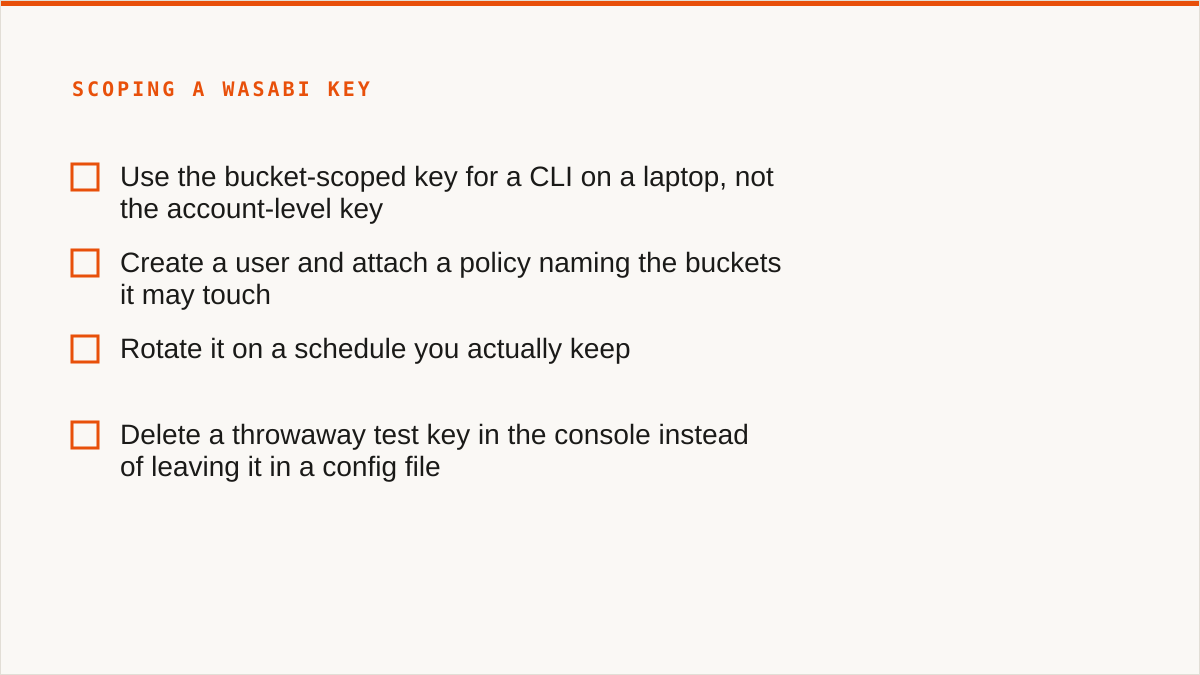
For a CLI on a laptop, use the scoped key. Always. The account key is for the console and for provisioning, not for the shell where you are about to run a sync that you typed half-asleep. If you take nothing else from this section, take that.
Where the credential lands depends on the tool, and the differences are not cosmetic:
| Tool | Location on disk | Notes |
|---|---|---|
| AWS CLI | ~/.aws/credentials | Plain text. No encryption. Readable by anything running as you. |
| rclone | ~/.config/rclone/rclone.conf | Plain text unless you set --password-command or use an obfuscated config. |
| s3cmd | ~/.s3cfg | Plain text. |
| Env vars | Process memory | Better for CI. Still visible in /proc on shared hosts. |
A leaked Wasabi key exposes whatever the key's policy allows, and there is no per-request scoping to save you. This is the part that surprises people coming from systems where a token carries its own narrow grant. S3-family credentials are not capability tokens. They are a signing secret. Whoever holds the secret can sign any request the attached policy permits, for as long as the key exists, from anywhere on the internet. There is no request-level expiry, no audience restriction, no "this key only works from this IP" unless you build that yourself.
Concretely: if that leaked key is account-level, the holder can list your buckets, download every object, and delete all of it. Nothing in the protocol stops them. The blast radius is the policy, and the policy on a root key is "everything."
So scope the key down. Create a user, attach a policy naming the buckets it may touch, and use that. Rotate it on a schedule you actually keep. And when you are done with a throwaway test key, delete it in the console rather than leaving it in a config file you forgot about.
When the workflow is code, a CLI composes and a console never does
Here is where we tell you to use something else, and we mean it.
rclone beats us for scripted, mounted, and zero-budget work, and it is not close. It is free permanently, with no account and no vendor in the loop. It supports 70-plus backends, including the consumer clouds we deliberately do not touch. It mounts remote storage as a real filesystem through FUSE, which we simply cannot do because we have no FUSE surface. It runs inside your own security boundary, so your credentials never leave hardware you control, which is a stronger answer than anything we can give. And it has been maintained for over a decade, so on the question "will this still exist in five years," rclone has a better answer than we do.
For Wasabi specifically: an rclone.conf remote is four lines, and then rclone sync does the job from cron, from systemd, from a Makefile, from a CI runner, from anywhere a binary can execute. We do not compose with cron. We are a console, not a command, and a web UI will never be a shell script. If your workflow is code and always will be, a CLI fits it natively and we do not.
[wasabi]
type = s3
provider = Wasabi
access_key_id = YOUR_WASABI_KEY
secret_access_key = YOUR_WASABI_SECRET
endpoint = s3.us-east-2.wasabisys.com
region = us-east-2

rclone sync /srv/data wasabi:my-bucket --checksum
That is the whole thing. Four lines of config and one command, and it runs unattended for years. We are not going to pretend a web console competes with that.
Our credentials sit encrypted in our database, not on your laptop. That is real encryption (AES-256-GCM, per-namespace HKDF keys), and for AWS we can connect keylessly by assuming an IAM role so no long-lived secret exists at all. But for Wasabi, your key lands in our store, decrypted in memory when we run a job. If your requirement is "the secret never leaves hardware I control," rclone and a local config file is the honest answer, and we are not going to pretend otherwise. We also have no published case studies and no named customers, and we are not going to invent them for a blog post.
So who should not use Storafleet for this?
- Budget is zero. The conversation is over and rclone wins. Use rclone.
- You need storage mounted as a filesystem. Use
rclone mount, Mountain Duck, or ExpanDrive. We have no mount. - Credentials must never leave hardware you control. Use rclone, or our IAM-role connect if the provider is AWS only.
- Everything lives in one cloud and always will. Wasabi's own console is free and more current with Wasabi's newest features than we are. Use it.
- The workflow is entirely code and always will be. A CLI composes. A console does not. Use rclone.
- You need Google Drive, Dropbox, OneDrive, SFTP, or WebDAV. We connect the S3-compatible family and custom S3 endpoints, and nothing else. Use rclone or MultCloud.
Where we earn our keep is the space between one shell and ten providers. If you are moving data between Wasabi and Backblaze B2, or Wasabi and Cloudflare R2, on a schedule, across 50-plus S3-compatible providers, and you want a UI that only offers the actions Wasabi genuinely supports rather than greying out half a form, that is the job we built for. Migrated bytes are unmetered on every tier including Free. We never charge per gigabyte to move data. That pricing model exists because per-gigabyte egress fees are the thing that makes people afraid to move data at all, and we did not want to be another reason to hesitate.
But that is a different job from bootstrapping a CLI against a Wasabi bucket at 11pm. For that one, fix your region string, use path-style addressing, scope your key down, and reach for the binary.