
OshareCollect: Should You Use It or Another Share-Collect Tool?
October 2026 · 11 min read · Surya

The share-collect tool is not a cost play. I know the pitch says otherwise, and I know why it lands: the spreadsheet has a column for egress and a column for storage, and both of those columns have numbers in them, so both of them get argued about. Meanwhile the actual expensive line item on a multi-cloud copy job is the person sitting there watching the progress bar, and that line item is not in the spreadsheet at all. If you are evaluating osharecollect on bytes-per-dollar, you are measuring the cheap half of the problem. The bytes were never the expensive part. The Saturday afternoon was.
Anyone who has babysat a copy job knows the shape of it. You start the transfer, you go make coffee, you come back and the token expired forty minutes ago. You re-run it. You find out halfway through that it silently skipped a prefix. You re-run it again with a different flag. You write the destination path down on a sticky note because the tool will not remember it. By the time the job is done you have spent three hours of a skilled engineer's time on something a machine should have finished unattended, and the egress bill for the whole exercise was lunch money.
The share-collect claim is about moving files, and the bill is about who is watching them move
There are two economies tangled up in every multi-cloud copy and they behave nothing alike.
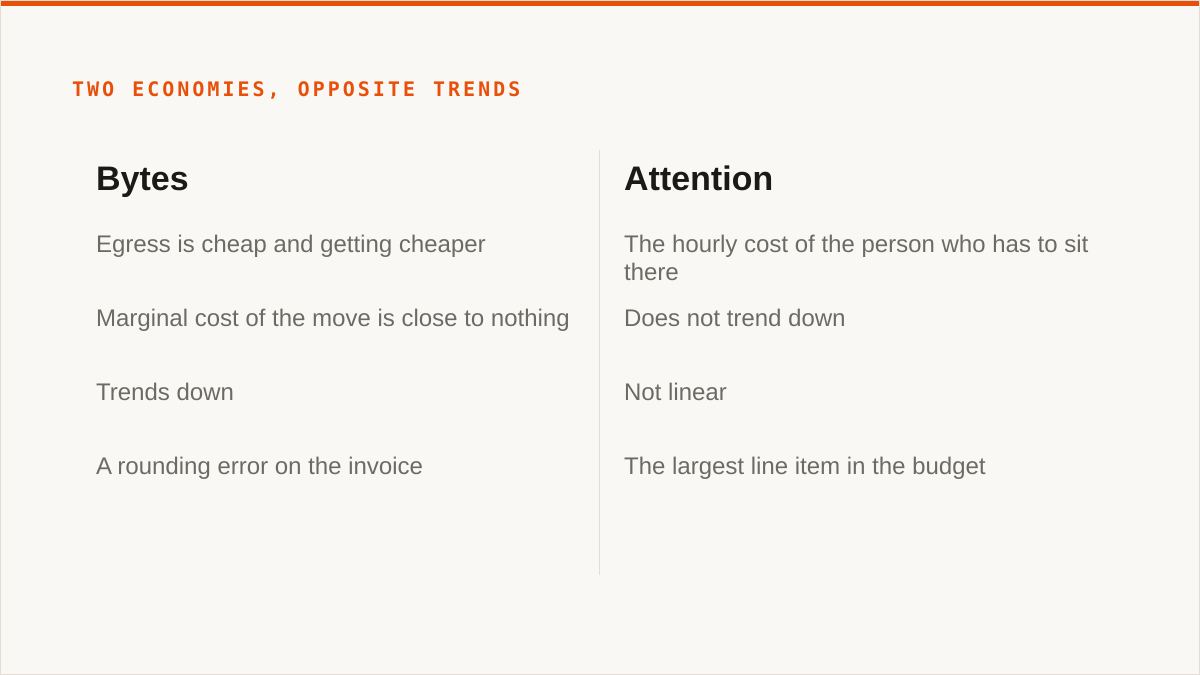
The first economy is bytes. Egress is cheap and getting cheaper, and if you are moving between two buckets you already pay for, the marginal cost of the move is close to nothing. Providers compete on this. It trends down. Anyone selling you a tool primarily on bytes-moved savings is selling you a shrinking discount.
The second economy is attention. It does not trend down. It is the hourly cost of the person who has to sit there, and it is brutal in a way that per-gigabyte pricing never is, because it is not linear. A copy job that takes eight minutes is free, practically. A copy job that takes eight minutes and then fails at minute seven costs you the eight minutes plus the diagnosis plus the re-run plus the context switch back to whatever you were actually hired to do. That is an hour. The byte cost of the same job might be a rounding error on the invoice.
Put a number on it, roughly, because the argument only works if you do. A senior engineer loaded costs somewhere in the neighbourhood of a few hundred dollars a day once you count salary, benefits, the laptop, the desk and the recruiter fee that got them there. Call the loaded hourly figure a round hundred dollars, which is generous to the cheap end and stingy to the expensive end, and accept that it is illustrative and not a benchmark. Now count the Saturday. Three hours of babysitting is three hundred dollars of real money that never appears on a cloud invoice and never appears in a migration plan. Do that once a quarter across a team of five and you have quietly spent more on clicking than you will spend on egress for the entire year. The hourly cost of the person clicking is not a soft argument. It is the largest line item in the budget and the only one nobody writes down.
So when someone tells you a share-collect tool saves money, the honest version of that claim is: it saves money if and only if the second number is real for you. If you are copying a few gigabytes once, once, on a Tuesday, the second number is nearly zero, and you should use whatever is already installed. If you are running the same sync every night across three providers and a token expiring at 2am means a human gets paged, the second number is the whole argument.
This is where we make our case, and it is a narrow one. Storafleet's share-collect is a flat subscription, and it never charges per gigabyte to move data. Migrated bytes are unmetered on every tier including Free. That pricing model only wins when the alternative is a human being paid by the hour to click Retry, and it loses badly when the alternative is a free binary that runs on a schedule and never asks for a credit card. We are not going to pretend the model is universally better. It is better for exactly one shape of problem, and that shape is "the same person keeps doing this by hand."
There is a version of this argument that gets made badly, and I want to separate ourselves from it. The bad version says a web console is easier than a command line, full stop. That is not true and you should not believe it. A well-written command line is easier than a console for the person who already knows the command, and that person is often the one doing the copying. What a console actually buys you is that the second person does not have to learn the command. If you are a team of one and you are the one, that buys you nothing.
Where rclone beats us flatly, and what that costs us
rclone is better than us at a long list of things and I would rather write the list than have you find out after you have paid.
rclone is free, permanently, with no account and no vendor. Not free-tier free. Free the way a hammer is free. There is no subscription to lapse, no seat to buy, no pricing page to re-read when the plan changes. If your budget for this problem is zero, the conversation is over and rclone wins, and we would rather tell you that than take a card number from someone who did not need to give it.
rclone connects to more backends than we ever will. We speak the S3-compatible family and any custom S3 endpoint, which covers a lot of object storage and exactly none of the consumer clouds. Google Drive, Dropbox, OneDrive, SFTP, WebDAV, Box: rclone has them and we do not. If your job is Drive-to-bucket, you are looking at the wrong product page.
rclone runs inside your own security boundary. This is the one that stings, because it is a real architectural difference and not a feature list. Your credentials sit encrypted in our database, AES-256-GCM with per-namespace HKDF keys, and AWS can be connected keylessly via IAM role assumption so no long-lived key exists at all. That is genuinely careful engineering and I am proud of it. It is also not the same answer as "the keys never left my laptop," and rclone gives that stronger answer for free because there is no server in the middle. If your compliance story requires that credentials never touch hardware you do not control, rclone is the correct choice and our encryption is irrelevant to you.
rclone composes. It is a binary, so it drops into cron, systemd timers, CI pipelines, shell scripts and Makefiles without any adapter. A console does not do this and I am not going to claim ours does. Here is the honest illustration of the difference:
rclone copy \
  --transfers 8 \
  --checksum \
  --log-file /var/log/nightly-sync.log \
  --log-level INFO \
  remote-src:backups remote-dst:backups
That is one line in a crontab. There is no session to expire, no tab to keep open, no login. A binary that a scheduler can invoke will always beat a console that a human has to visit, for work that should happen without a human. And rclone has been maintained for over a decade by people who are not us, which matters on the question of whether the thing will still work in five years. Storafleet started in 2026. We are a small team. On longevity, a decade-old open-source project has a better answer than we do and you should weigh that.
Here is the cost to us, said plainly. Every person who reads this section and picks rclone is a person we do not bill, and the section exists because recommending rclone to the wrong customer is cheaper for us than selling to them and being resented later. We lose the deal on purpose. The customers we keep are the ones who came back after trying rclone and found the cron job was not the hard part. If that sounds like a sales move, it is not: the alternative is charging someone a recurring fee to run a nightly sync that a free binary does better, and we would rather have the smaller, honest book of business. The thing we cannot give you is the thing rclone already gives you for nothing, and no amount of engineering on our side changes that arithmetic.
There are jobs where rclone is not just adequate but simply the right tool and there is nothing to argue about: scheduled syncs on a server you own, one-off migrations you want to script and forget, anything where the destination is a consumer cloud, anything where the credential boundary is the point. Use it. We mean that.
Our own weaknesses, listed before you find them
We do not mount anything. There is no FUSE surface. Remote buckets will not appear in Finder or Explorer through us. If your workflow assumes a filesystem path, we are the wrong shape of tool.
We do not speak the consumer clouds. Google Drive, Dropbox, OneDrive, SFTP, WebDAV, Box: none of them. S3-compatible and custom S3 endpoints only. This is a deliberate limit and it excludes a large share of the people who might otherwise want a web console over their files.
Your credentials sit in our database. Encrypted, AES-256-GCM with per-namespace HKDF keys, and AWS connects keylessly via IAM role assumption so no long-lived key is stored for that provider. But there is a server in the middle and it is ours. If your threat model says credentials must never leave hardware you control, we fail that test and no amount of encryption fixes it.
We have no CLI. Not a thin one, not a beta one. If your workflow lives in a Makefile or a CI pipeline, we cannot meet it, and you should not contort your pipeline to reach a web console.
We are young. Storafleet started in 2026 and we are a small team. rclone has been maintained for over a decade by people who are not us. On the question of whether the thing still works in five years, the decade-old project has the better answer and you should weigh that against whatever convenience we offer.
Who should close this tab and use something else
Here is the verdict, without hedging. Most people reading a post about share-collect tools should not buy ours, and the fastest way to earn the ones who should is to say so.
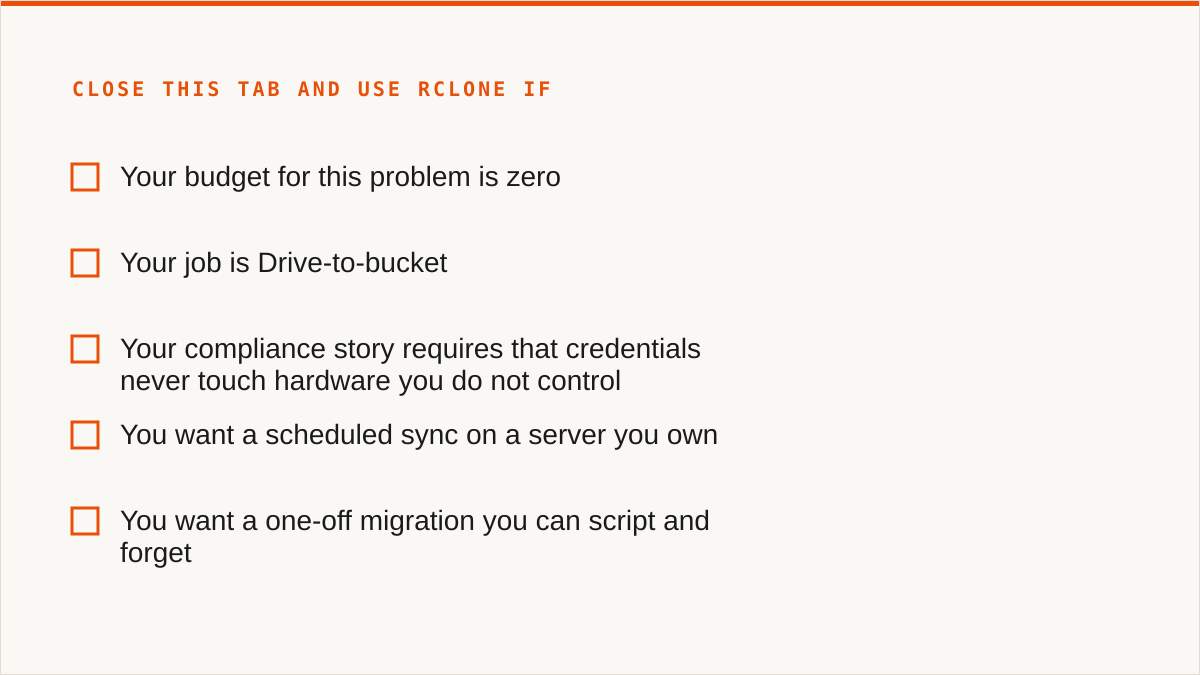
- Budget is zero. rclone. The conversation is over and rclone wins. Set up a cron job and stop reading.
- You need storage mounted as a filesystem. We have no FUSE surface. Remote buckets will not appear in Finder or Explorer through us. Use
rclone mount, Mountain Duck or ExpanDrive, all of which do this and we do not. - You need Google Drive, Dropbox, OneDrive or SFTP. We connect the S3-compatible family and nothing else. Use rclone, or MultCloud if you want a web UI over the consumer clouds. We deliberately do not cover them and will not pretend otherwise.
- Credentials must never leave hardware you control. rclone, because there is no server. The one exception is AWS-only, where our IAM role assumption means no static key is stored at all, but if the requirement is absolute then rclone is the honest answer.
- Everything lives in one cloud and always will. That provider's own console is free, always current with the newest features, and authoritative in a way a third party can never be. Use it. We add nothing when there is only one endpoint.
- The workflow is entirely code and always will be. We have no CLI. A console cannot compose with your Makefile or your CI. Stay in code.
- You want a one-time licence and no subscription. Cyberduck, Mountain Duck or S3 Browser. Desktop clients, files stay on your machine, they mount, and for one person managing a few buckets that is a better deal than a recurring charge.
That is most of the market. I am aware of how that reads.
Here is the narrow case where we are the right call, stated without a sales pivot. You run object storage across several S3-compatible providers, you move data between them on a schedule, and the person who currently does it by hand is expensive and has better things to do. You want the sync scheduled, the credentials stored once, the duplicate detection and the per-bucket cost visibility in the same place as the migration, and you want the second person on the team to be able to run it without learning a command. That is a real problem and it is the one we built for. The flat subscription is priced so that the byte count never enters the decision, which means a large migration costs the same as a small one. That is the whole product.
If that is not your situation, the tools above are better than us at your situation, and some of them are free. The claim that a share-collect tool saves money is mostly true. It is true when the thing it saves is a person's afternoon, and false when the thing it is compared against is a binary you already have. Count the second number before you count the first.