
Rabata Cloud Storage: What It Is and How It Works
October 2026 · 12 min read · Surya
Someone just handed you three things: a bucket name, an access key, and a secret. You are staring at a terminal. There is a web console URL in the onboarding email, and there is a shell prompt in front of you, and you have to decide which one to open. This post is about what happens next, and how rabata cloud storage actually works under the hood, because the answer to "console or command" is entirely determined by what Rabata exposes at the network layer.
Short version: Rabata is object storage that speaks S3. Nothing more exotic than that. Once you internalise it, the whole service collapses into a handful of predictable behaviours, and so does the debugging.
What Rabata actually exposes is an S3 endpoint, and that decides everything else
If you searched for "rabata.io" or "rabata cloud storage" and landed here expecting a product page, sorry. This is the mechanism. Rabata is a provider in the S3-compatible family: it gives you an HTTPS endpoint, a bucket namespace, and credentials that are scoped to that bucket. That is the entire contract.
The API surface is AWS S3's, version 4 signing included. That means every request is signed with SigV4, a HMAC-SHA256 chain over the canonical request, the date, the region, and the service name. Rabata validates the signature against the secret it issued you. If the signature matches and the policy allows the operation, you get your bytes. If not, you get an XML error body and an HTTP status. There is no Rabata-specific SDK, no proprietary auth handshake, no "download our agent" step.
This is why any S3 tool works against it without modification. The AWS CLI, rclone, s3cmd, Cyberduck, the Go and Python SDKs, Terraform's S3 backend, your own fifteen-line script using boto3: all of them speak this protocol already. Point them at the endpoint, hand them the key pair, and they behave as if the bucket were in us-east-1 or wherever the provider tells you its region lives.
That single design decision is the most important thing to understand about the service. It means:
- You are never locked into a Rabata client. Any tool that can talk S3 can talk to Rabata.
- The failure modes are the same failure modes you already know from S3. A
403is almost always a signature or policy problem. A404is a bucket or key that does not exist at that endpoint. - Your existing scripts, CI jobs, and backup tools do not need to be rewritten. They need a new endpoint and a new set of credentials.
The differences between providers in this family are almost all in the endpoint format, the region string, and the path-style versus virtual-hosted-style question, so those are the things worth pinning down before you touch a client.
The three things you actually need from the handover
When someone hands you credentials for a Rabata bucket, you need exactly three facts:
- The endpoint URL. Something like
https://<region>.<provider-host>, or a custom hostname if the bucket is fronted by one. Get the exact string from the console or the onboarding docs, do not guess it. - The region string. S3-compatible providers vary wildly here. Some accept
auto, some wantus-east-1, some want a real region code. If the wrong string is used, the signature will fail even though the key is correct. - The key pair. Access key ID and secret access key. Store them in your OS keychain or a secret manager, not in a shell history file.
Everything else is just S3 semantics layered on top.
The request path: sign with SigV4, PUT to the endpoint, read the XML error if it fails
Let's walk it. Suppose someone has given you a bucket called acme-backups, an endpoint at https://<region>.<provider-host>, a region string, and a key pair. The first thing most people do is open the console. The faster thing is to run one command.
Step 1: configure a client. With the AWS CLI you can create a named profile so you don't pollute your default credentials:
aws configure --profile rabata
# AWS Access Key ID: <your-access-key-id>
# AWS Secret Access Key: <your-secret-access-key>
# Default region name: <region-string-from-provider>
# Default output format: json
Then a small wrapper, or just an alias, so every subsequent command carries the endpoint override:
alias rabata='aws --profile rabata --endpoint-url https://<region>.<provider-host>'
Step 2: sign a request. Every command you run after that is signed by SigV4 automatically. The signature is computed over the canonical request, which looks roughly like this if you were doing it by hand:
GET
/acme-backups
list-type=2

host:<region>.<provider-host>
x-amz-content-sha256:e3b0c44298fc1c149afbf4c8996fb92427ae41e4649b934ca495991b7852b855
x-amz-date:20250412T090000Z

host;x-amz-content-sha256;x-amz-date
e3b0c44298fc1c149afbf4c8996fb92427ae41e4649b934ca495991b7852b855
That canonical request is then hashed, the hash is signed with a chain of HMACs derived from your secret key, the date, the region, and the service name s3, and the result is attached to the Authorization header. If any of those four inputs is wrong, the signature is wrong. That is the whole failure model.
Step 3: hit a failure. The first request almost never works. Here is what a signature mismatch looks like on an S3-compatible endpoint:
$ rabata s3 ls s3://acme-backups

An error occurred (SignatureDoesNotMatch) when calling the ListObjectsV2 operation:
The request signature we calculated does not match the signature you provided.
Check your key and signing method.
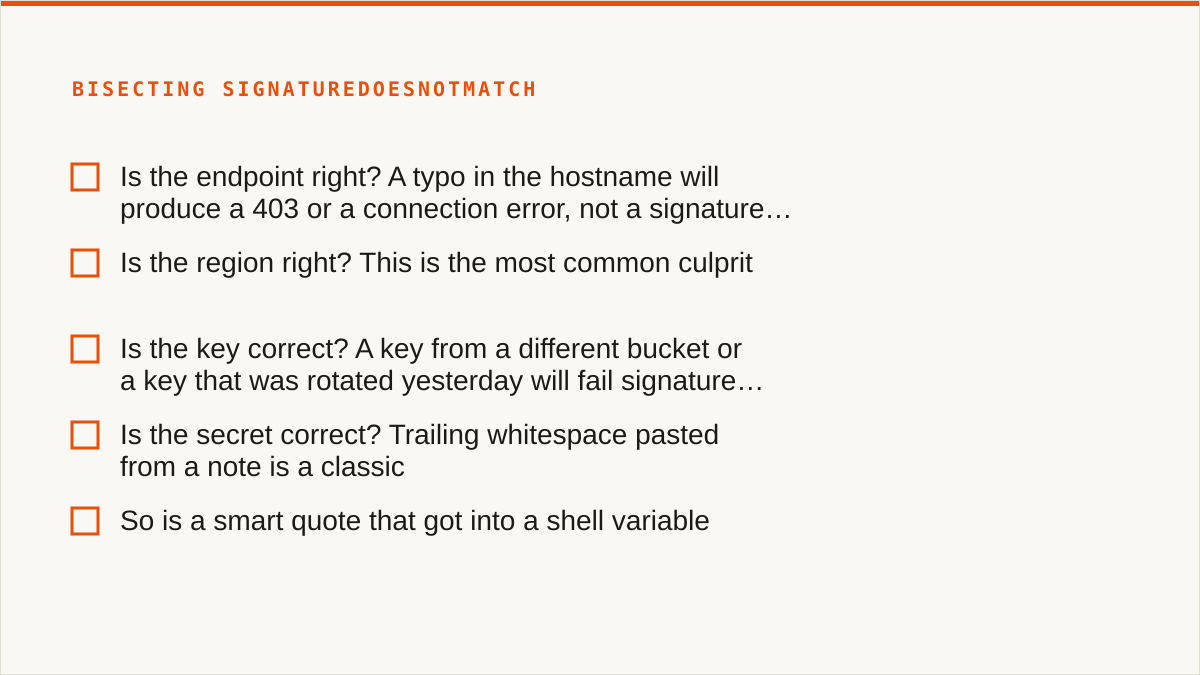
The XML body underneath says something similar. It is useless on its own. It tells you the signature is wrong, but not which of the four inputs is wrong. You have to bisect.
- Is the endpoint right? A typo in the hostname will produce a
403or a connection error, not a signature error, so if you gotSignatureDoesNotMatchthe hostname is probably fine. - Is the region right? This is the most common culprit. Many S3-compatible providers return the expected region in the error body when you sign with the wrong one. If they do not, read their docs, because the correct string is rarely the one you would guess.
- Is the key correct? A key from a different bucket or a key that was rotated yesterday will fail signature validation even though the format looks valid.
- Is the secret correct? Trailing whitespace pasted from a note is a classic. So is a smart quote that got into a shell variable.
Step 4: fix it and land a successful PUT. Once the region is corrected to whatever the provider actually expects, the same command signs correctly and returns a list:
$ rabata s3 ls s3://acme-backups
                           PRE logs/
                           PRE snapshots/
2025-04-10 14:22:01     18204 manifest.json
A successful PUT is equally dull:
$ rabata s3 cp ./backup-2025-04-12.tar.zst s3://acme-backups/snapshots/
upload: ./backup-2025-04-12.tar.zst to s3://acme-backups/snapshots/backup-2025-04-12.tar.zst
Or with boto3, if Python is your thing:
import boto3

s3 = boto3.client(
    "s3",
    endpoint_url="https://<region>.<provider-host>",
    region_name="<region-string-from-provider>",
    aws_access_key_id="<your-access-key-id>",
    aws_secret_access_key="<your-secret-access-key>",
)

s3.upload_file("./backup-2025-04-12.tar.zst", "acme-backups", "snapshots/backup-2025-04-12.tar.zst")
That is the whole mechanism. Signed request, HTTPS endpoint, standard response. Debugging rabata cloud storage is debugging any S3 endpoint, which means the knowledge you built up against AWS S3 transfers directly. Nobody has to learn a new error vocabulary.
The two things that trip people up on S3-compatible endpoints
Path style versus virtual-hosted style. AWS's default is virtual-hosted: https://bucket.s3.amazonaws.com/key. Many S3-compatible providers default to path style: https://s3.provider.example/bucket/key. If your client is defaulting to one and the provider only accepts the other, the request will go to a host that does not resolve, or the bucket name will be parsed as part of the host. In the AWS CLI this is the --endpoint-url plus a config flag; in boto3 it is Config(s3={"addressing_style": "path"}); in rclone it is the force_path_style = true option on the remote. Read the provider's docs, they will tell you which one they want.
Bucket-scoped credentials. Rabata, like many providers in this family, issues credentials that are scoped to a single bucket, not a whole account. That is a good default for security. It also means a key that works against acme-backups will produce a signature or authorization error against acme-staging. If a colleague hands you the wrong key for the right bucket, you will see failures that look like signature failures but are really scope failures. Read the error body carefully; AccessDenied and SignatureDoesNotMatch mean different things.
Once it is S3, the interesting question is which tool sits in front, and often that tool is not ours
Here is where we have to be honest about our own position. Storafleet is a control plane for object storage you already own, and Rabata is exactly the kind of provider we connect to. We would very much like you to use our console against it. But the truthful answer, for most people who are staring at a Rabata bucket at 11pm, is that rclone beats us at this job, and it is not close.
Let me be specific about where rclone wins, because "we're complementary" is the kind of thing a company says when it wants to avoid the concession.
- Mounting. rclone can mount a Rabata bucket as a local filesystem via FUSE. We cannot. We have no FUSE surface at all. If you want the bucket in Finder or Explorer, rclone mount or Mountain Duck is your answer, full stop.
- Backend breadth. rclone speaks dozens of backends including the consumer clouds we deliberately do not touch. If your job is Google Drive to a Rabata bucket, we cannot do it. rclone can.
- Scriptability. rclone is a binary. It composes with cron, systemd, CI pipelines, Makefiles, and shell scripts. It runs inside your own security boundary with credentials that never leave your hardware. We are a web console. A console does not compose with
cron, and it never will. If the workflow is code, a CLI fits it natively and a UI is a layer of friction. - Credential locality. Your Rabata key stays on your laptop or your CI runner with rclone. With us, it sits encrypted in our database (AES-256-GCM, per-namespace HKDF keys, and AWS can be connected keylessly via IAM role assumption). The encryption is real. But "the keys never left my laptop" is a stronger answer than ours, and pretending otherwise would be dishonest.
- Longevity. rclone has been maintained for over a decade. Storafleet started in 2026. On the question "will this still exist in five years", a decade-old open-source project has a better answer than we do, and we will not pretend otherwise.
So who should not use Storafleet for anything Rabata-adjacent? Plainly:
- If your budget is zero, the conversation is over and rclone wins. It is free, permanently, with no account and no vendor. We are a paid subscription. There is no clever argument that makes that go away.
- If you need the bucket mounted as a filesystem, use
rclone mount, Mountain Duck, or ExpanDrive. We cannot help and will not pretend we can. - If the other end of the transfer is Google Drive, Dropbox, OneDrive, Box, SFTP, or WebDAV, use rclone or MultCloud. We connect the S3-compatible family and custom S3 endpoints, and nothing else.
- If the credentials must never leave hardware you control, use rclone. Or, if it is AWS-only, use our IAM-role connect. For everyone else, rclone is the honest answer.
- If everything lives in one cloud and always will, use that provider's own console. It is free, always current with their newest features, and authoritative in a way we cannot be.
- If the entire workflow is code, use a CLI. A console is for people who sometimes want to click. If you never want to click, we are the wrong tool.
That is a lot of losing. It is deliberate. A control plane that pretends to be a CLI is worse than no control plane at all, and a company that won't tell you when it is the wrong fit is telling you something about how it will behave when the fit is merely mediocre.
Where the console earns its keep (and where it does not)
Where we do beat a command line, when the job is actually ours, is breadth and repetition. If you have Rabata buckets on one side and Backblaze B2, Cloudflare R2, or Wasabi on the other, and you need to migrate or sync between them on a schedule, the console is a faster path than hand-writing an rclone config with four remotes and a cron expression. Duplicate detection across buckets, cross-bucket search, lifecycle and CORS and versioning configuration, per-bucket cost visibility: those are console-shaped jobs, and they are what we built.
We also win on the "I have six providers and no memory for endpoints" problem. Fifty-plus S3-compatible providers plus a custom endpoint field, all normalised to the same UI. That is not a feature rclone lacks, but it is a feature rclone makes you configure by hand, one remote at a time, and for someone who touches a new provider every month it is a real difference. If Rabata is one of ten you are juggling, that normalisation is the argument for us. If Rabata is the only one, the argument mostly falls away.
And we win on nothing at all if the workflow is a shell script. That is fine. It is not a failure of the product, it is a mismatch of shape. A console that composes with cron is not a console.
What to actually do, in order
- Take the endpoint, region, and key pair. Put them in
~/.aws/credentialsor your secret manager, not in a shell history file. - Run one
aws s3 lsor onerclone lsdagainst the endpoint. If it fails, read the XML error body. If it'sSignatureDoesNotMatch, check the region first, then the key, then the secret for trailing whitespace. If it isAccessDenied, check the bucket scope on the credential. - If the job is one-off, or scripted, or needs mounting, or crosses into a consumer cloud, stay with rclone and stop reading. It's the right tool and we won't talk you out of it.
- If the job is recurring, cross-provider, or involves several buckets and several clouds and you want to see all of them in one place, that is when the console is worth a subscription.
Rabata is an S3 endpoint. That is the whole thing. Once you know that, the tool choice is a question about your workflow, not about the provider. And the honest answer is that rclone will serve most people better than we will. We're here for the people who need the console-shaped jobs, and we will say so plainly when you are not one of them.