
Rabata Cloud Storage: What It Offers and How It Fits
October 2026 · 8 min read · Surya
Someone has a bucket on a provider they found by searching for rabata cloud storage. They have the endpoint, the region string, an access key and a secret. Now they're sitting in a console, wondering whether the thing they already run will talk to it. That is the real question. Not "what is rabata cloud storage", but "does the rest of my stack speak the dialect this thing speaks".
We are Storafleet. We build a control plane for object storage you already own. We never store your file contents. So when someone lands on our site from that search, the useful thing we can do is not sell them a category. It's to answer the endpoint question and then be honest about where we fit. Mostly that means admitting that a single provider is one row in a much larger spreadsheet, and the row is not the interesting part. The columns are.
"Rabata cloud storage" is a question about one endpoint, not a category
People searching for rabata cloud storage are almost never shopping for a storage category. They already have a bucket and want to know what speaks to it. That is a narrow, answerable question, and it has three parts. What API does the endpoint actually expose? What do the endpoint and region conventions look like? And will the tools already on my machine, or in my CI, or in my Terraform, connect without a shim?
We cannot answer the first part for Rabata. We have no supplied facts about it, so we will not invent any. We do not know whether it exposes an S3-compatible API, what its endpoint and region conventions are, or whether its endpoint behaves like S3 at all. Anyone telling you otherwise is guessing. What we can tell you is what the answer would have to look like for the rest of this post to apply.
If a provider exposes an S3-compatible API, the answers converge and the tooling mostly just works. There is a hostname. There is a region string, sometimes real and sometimes a placeholder the provider ignores. There is an access key and a secret. There is a path-style versus virtual-hosted-style question that bites people exactly once, usually at 1am, usually in a Python script that worked fine against S3 proper. If you have those four things, most of the ecosystem will talk to it: aws s3, boto3, rclone, Terraform's S3 backend, a pile of libraries that assume S3 and mostly get away with it. If your provider does not expose an S3-compatible API, none of that applies and the rest of this post is not for you.
What matters is not the provider's feature checklist. It is what sits on top of the endpoint. Object storage is a commodity at the API level now. The differences that survive contact with production are operational: who holds the credentials, what runs on a schedule, where the cost numbers come from, and what happens when you need to move 40TB from one provider to another without writing a migration script by hand.
That's the layer we work in. We connect 50-plus S3-compatible providers and any custom S3 endpoint, and we let you browse, migrate, sync, search across buckets, and manage lifecycle, CORS, versioning, object lock and public-access settings from one place. If you want the list of endpoints we speak, it's on our providers page, and it's worth checking before you assume your provider is on it. The list is longer than most people expect and shorter than rclone's.
A provider table is less useful than the columns you leave blank
Here is the family we connect, and the family we deliberately do not. Read the second half carefully, because the missing rows are the point.
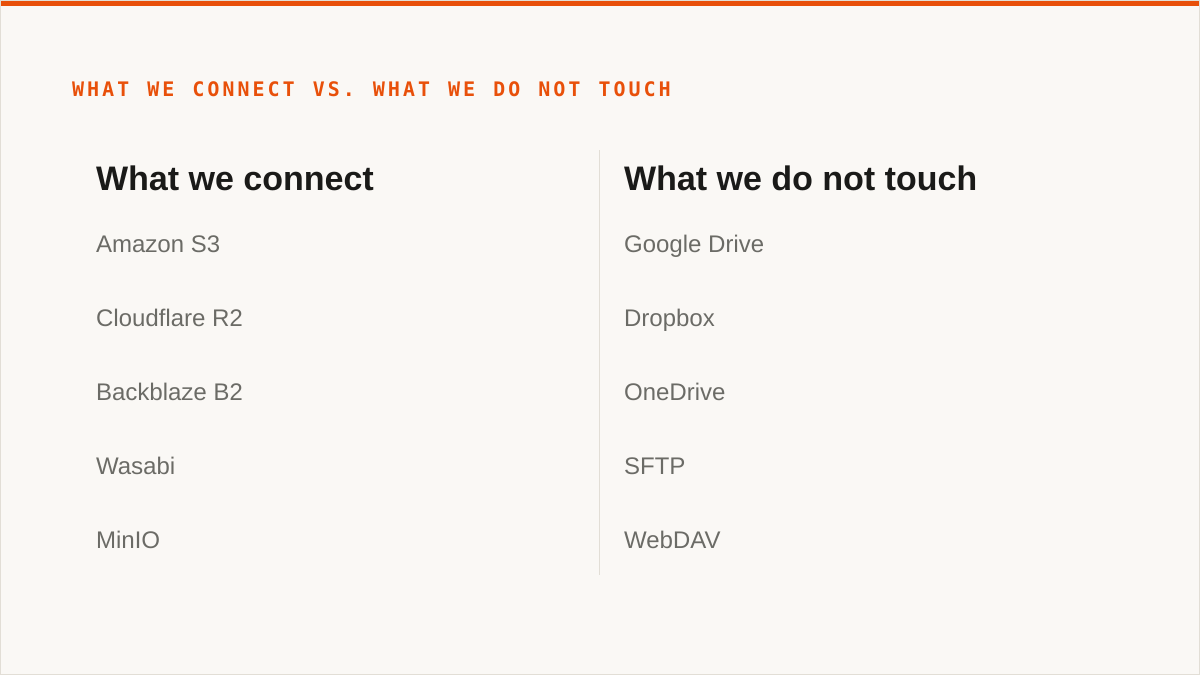
| What we connect | What we do not touch |
|---|---|
| Amazon S3 | Google Drive |
| Cloudflare R2 | Dropbox |
| Backblaze B2 | OneDrive |
| Wasabi | SFTP |
| MinIO | WebDAV |
| DigitalOcean Spaces | Box |
| Oracle Cloud (OCI), IBM COS | |
| Scaleway, Linode (Akamai), Vultr | |
| Storj, IDrive e2, Hetzner Object Storage | |
| Any custom S3 endpoint |
We draw a hard line at S3 compatibility, and that line excludes a lot of people. If your job is moving files from Google Drive into a bucket, we are the wrong tool and we will say so on the first call. Same for Dropbox, OneDrive, SFTP, WebDAV and Box. We do not connect them. MultCloud and CloudFuze cover that ground, and they cover it well, because it is the whole of what they do.
Now the concession, and we mean it: rclone beats us for a large number of the people reading this. It is free, permanently, with no account and no vendor. It supports 70-plus backends, which is more than we do, and crucially it supports the consumer clouds we just told you we skip. It mounts. It is scriptable down to the last flag. It runs entirely inside your own security boundary, so the credentials never leave hardware you control. And it has been maintained for over a decade, which is a better answer to "will this still work in five years" than anything we can offer.
We are not going to pretend that gap closes with a nicer UI. It does not. If you have one provider, one operator, and a shell, rclone is the correct answer and you should stop reading. We started in 2026. We are a small team. We have no published case studies and no named customers, and we are not going to invent any for a blog post. If your budget for this is zero, the conversation is over and rclone wins. That is not a marketing concession, it's just the truth.
What we do argue is narrower. A binary is excellent at executing what you already decided. It is not opinionated about what you should decide. If you want a scheduled sync between two providers, a search across every bucket in the account, a per-bucket view of what things cost, and lifecycle and object-lock settings you can change without reading an API reference, that is a console's job. Different shape of tool, different shape of problem.
Where the console stops and the shell starts
There's an honest boundary here and it's worth drawing precisely, because most vendors smudge it.
The console is good at things that benefit from being visible at once. Cross-bucket search. One-time and scheduled migration between providers, with migrated bytes unmetered on every tier including Free. Duplicate detection. Per-bucket cost visibility, so you can see that one bucket has quietly become the expensive one. Lifecycle rules, CORS, versioning, object lock, public-access blocks, all configurable without a JSON document and a prayer. And on AWS specifically, keyless connection via IAM role assumption, which means no long-lived access key sitting in a config file.
Pricing is a flat subscription, and that shape is the whole point. We never charge per gigabyte to move data, at any tier. The tiers differ on concurrent migration jobs and on automation, meaning scheduled sync. If you are doing one migration a quarter, the Free tier will probably cover it.
The console cannot do a specific set of things, and you should know them before you sign up. We do not mount storage as a local drive. There is no FUSE surface. If you want a remote bucket to appear in Finder or Explorer as a folder you can drag files into, we cannot do it. rclone mount, Mountain Duck and ExpanDrive can. Use them.
We also do not compose. We are a web application, not a command. We do not slot into a Makefile, a cron entry, a systemd unit or a CI pipeline the way a binary does. If your workflow is code and always will be, a CLI fits it natively and a web UI never will. That is a real limitation, not a positioning choice.
And the credentials point deserves a straight answer. Your credentials sit encrypted in our database, AES-256-GCM with per-namespace HKDF keys. That is real encryption and we take it seriously. But "the keys never left my laptop" is a stronger security answer than "the keys left my laptop and are encrypted at rest", and it would be dishonest to pretend otherwise. If credentials must never leave hardware you control, use rclone, or use our IAM-role connect if the scope is AWS only.
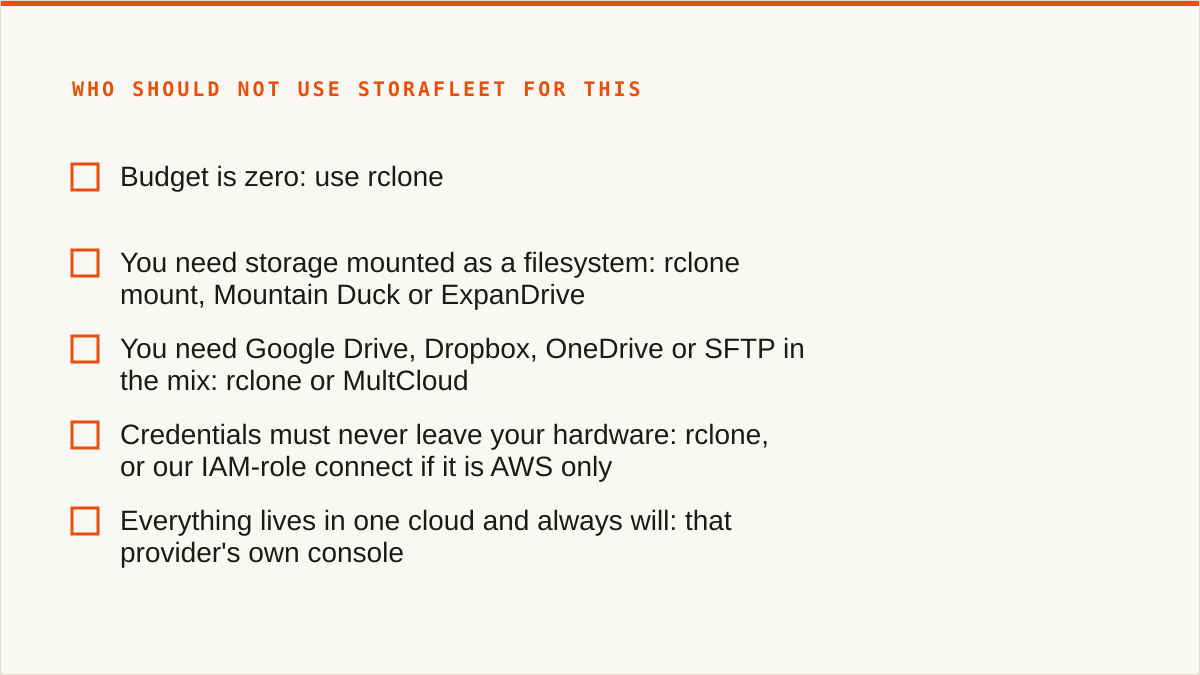
So here is who should not use Storafleet for this.
- Budget is zero: use rclone. Install it, point it at your endpoint, and stop here. It is free, it is maintained, and it is the right answer.
- You need storage mounted as a filesystem: rclone mount, Mountain Duck or ExpanDrive.
- You need Google Drive, Dropbox, OneDrive or SFTP in the mix: rclone or MultCloud.
- Credentials must never leave your hardware: rclone, or our IAM-role connect if it is AWS only.
- Everything lives in one cloud and always will: that provider's own console is free and more current with that provider's newest features than we will ever be.
- The workflow is entirely code and always will be: a CLI composes and a console does not.
Where we are the right answer is the awkward middle. Several providers, more than one person touching them, a migration that needs to run on a schedule rather than when someone remembers, and a bill that nobody can currently explain. That is a control-plane problem, and it's the one we signed up for.
As for rabata cloud storage itself, we have no facts to give you and we will not fabricate any. We do not know whether it exposes an S3-compatible API, so we cannot tell you whether it belongs in the table above. If it does, everything else in this post applies to it unchanged. If it does not, we cannot help. But rclone might, and you should check there first.