
Enable S3 Versioning and Object Lock on a New Bucket
October 2026 · 8 min read · Surya
Definition first, because the phrase gets mangled constantly: these are two separate mechanisms from two different eras. Versioning keeps every overwrite and delete as a numbered noncurrent version. Object Lock, layered on top, is a rule the provider enforces on your behalf that refuses to let those versions be deleted before a date you set.
That is it. Everything confusing about this topic comes from people treating those two sentences as one sentence.
Versioning is recoverability; Object Lock is a refusal to delete, and they are not the same purchase
Versioning is undo. Object Lock is a contract with a third party who will not let you undo. Those are different products with different bills and different exit ramps.
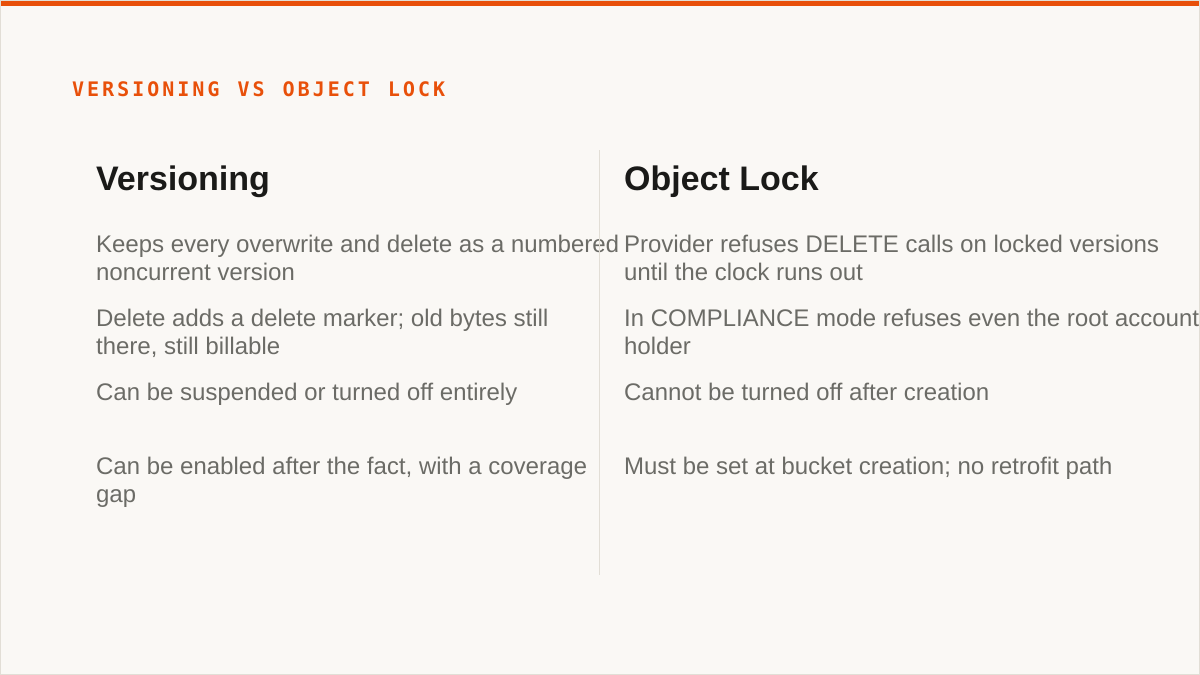
Turn versioning on and every PUT to the same key creates a new version. Delete an object and you have not deleted anything, you have added a delete marker. Your old bytes are still there, still billable, waiting. Recover them by deleting the marker or by fetching the version ID directly. Simple. Reversible. Expensive in the way that keeping every draft of every file is expensive.
Object Lock is the other thing. You give the provider a retention mode and a duration, and the provider now refuses DELETE calls on those object versions until the clock runs out. Not "asks you to confirm". Refuses. In COMPLIANCE mode it refuses even when you, the root account holder, are the one asking, and even when you have opened a support ticket and explained that you made a mistake.
Enabling one does not enable the other. Plenty of buckets have versioning on and no lock, which is the normal case. Plenty of people assume that because versioning is on, deletion is somehow protected. It is not. DELETE on a versioned bucket succeeds instantly. It just leaves a tombstone.
And only one of the two is reversible. You can suspend versioning. You can turn it off entirely and go back to a bucket where an overwrite is an overwrite. You cannot turn Object Lock off. Not after creation, not by removing the configuration, not by asking nicely.
Turn versioning on before the first object lands, not after the incident
Here is the operational argument, and it is short.
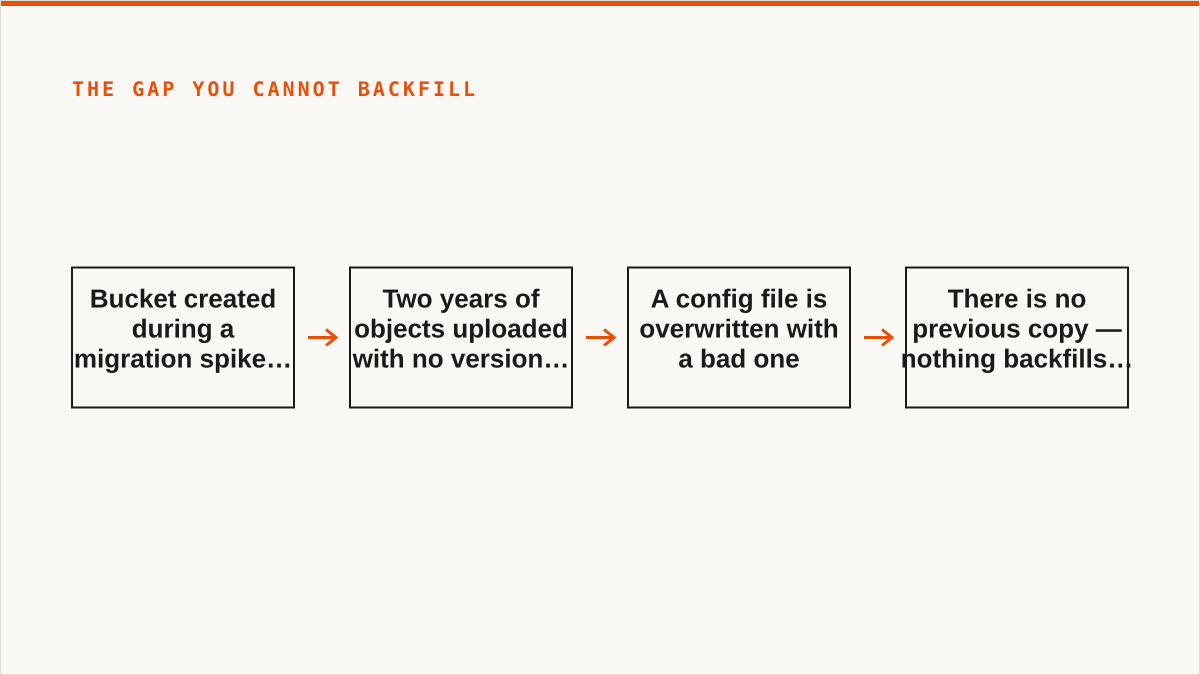
Versioning is one of the few bucket settings you can flip after the fact. That sounds like permission to procrastinate. It is not, because the objects you uploaded before you flipped it have no version history and never will. If you enable versioning on a bucket holding two years of data, the coverage gap is exactly those two years. Nothing backfills it. The first version of every pre-existing object is the only version you will ever have.
Walk the sequence yourself. A bucket gets created during a migration spike. Nobody turns on versioning because the priority is moving bytes. Six months later someone overwrites a config file with a bad one and asks for the previous copy. There is no previous copy. The bucket was never versioned during the period that mattered. No incident report needed to see how that ends; it ends the same way every time.
So: enable it at creation. It costs nothing to enable and it costs storage to use, which is a distinction people blur. The setting is free. The retained noncurrent versions are not. Budget for the second part, or add a lifecycle rule that expires noncurrent versions after 30 or 90 days so the bill stays bounded.
Object Lock is stricter still. You cannot enable Object Lock on a bucket that already exists. Not in the S3 console, not through the API, not through us. The flag is set at bucket creation or it is never set. There is no retrofit path and no provider that will grant you an exception.
Two settings. One you can turn on late and pay a gap for. One you either got right in the first thirty seconds or you are creating a new bucket and migrating into it.
Object Lock needs a retention mode, a duration, and a bucket that predates the lock
Mechanics in order. First the bucket, with the lock flag set at creation time:
aws s3api create-bucket \
  --bucket acme-audit-archive \
  --region us-east-1 \
  --object-lock-enabled-for-bucket
That flag is the whole ballgame. Create the bucket without it and every subsequent command in this section will fail with a message about the bucket not being configured for object lock, which people read as a permissions problem and debug for an hour. It is not permissions. The bucket is wrong.
Next, the bucket-level default. This is the rule that applies to objects uploaded without an explicit retention header:
aws s3api put-object-lock-configuration \
  --bucket acme-audit-archive \
  --object-lock-configuration '{
    "ObjectLockEnabled": "Enabled",
    "Rule": {
      "DefaultRetention": {
        "Mode": "GOVERNANCE",
        "Days": 90
      }
    }
  }'
Now the gotchas, in the order they bite people.
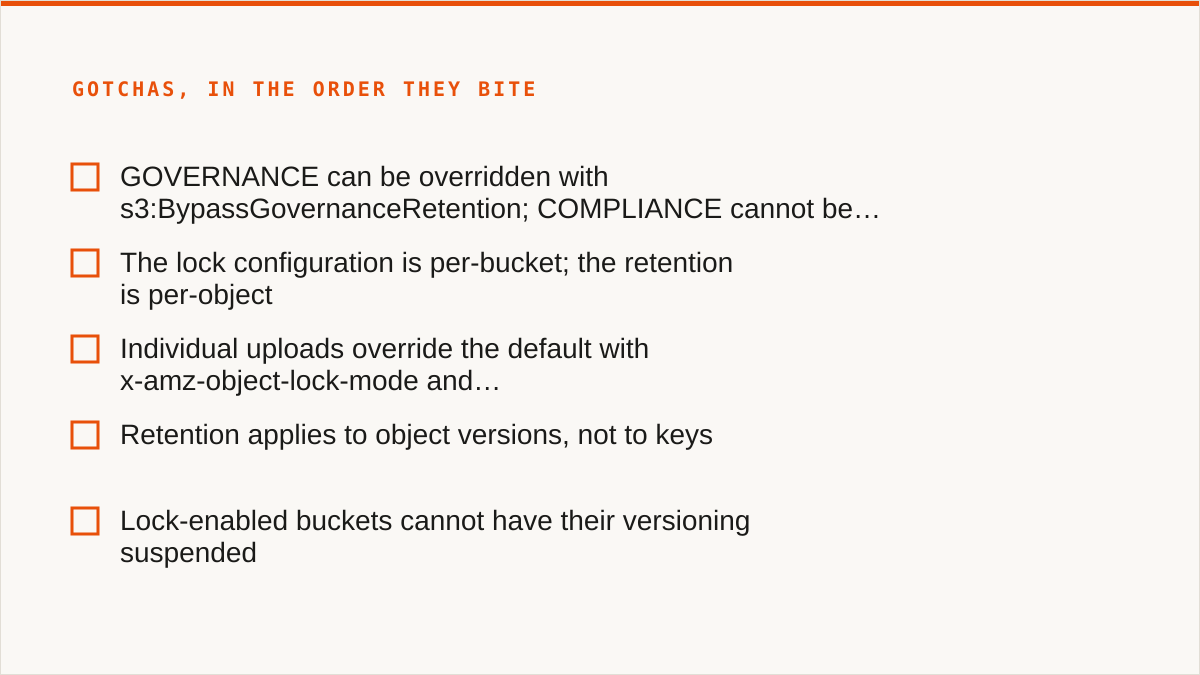
GOVERNANCE and COMPLIANCE are not two strengths of the same thing. GOVERNANCE can be overridden by a caller holding the s3:BypassGovernanceRetention permission, who then supplies the matching header. That is a feature: it means a sufficiently privileged human can rescue you from a bad retention rule. COMPLIANCE cannot be overridden by anyone, including the account root, including AWS support. Choose COMPLIANCE only when a regulator or a lawyer is the reason, because you are also choosing to have no recovery path from your own mistake.
The lock configuration is per-bucket. The retention is per-object. The put-object-lock-configuration call sets a default. Individual uploads can carry their own x-amz-object-lock-mode and x-amz-object-lock-retain-until-date headers and override that default for themselves. If you need different retention for different records, that is how you get it, and the bucket default is just the floor for anything that does not specify.
Retention applies to object versions, not to keys. A locked version stays locked. Uploading a new version of the same key is fine; that new version gets its own retention clock. This is why Object Lock without versioning is incoherent, and why S3 turns versioning on automatically for a lock-enabled bucket.
One more: lock-enabled buckets cannot have their versioning suspended. Ever. That is the point, but it surprises people who assumed the two settings were independent.
What this buys you, and who should not buy it from us
The real use cases are unglamorous. Regulatory retention where someone has to be able to say "these records could not have been altered or removed, and here is the configuration that proves it". Ransomware recovery, where the attacker has your credentials and encrypts everything they can reach, but cannot delete the locked versions underneath. Audit trails, where the value is that the log is provably complete. Notice that all three are about adversarial or external guarantees. If your threat model is "I might fat-finger a delete", versioning alone is enough and Object Lock is a liability.
Now the concession.
Storafleet is a control plane for storage you already own. We do not store your file contents, ever. We connect to 50+ S3-compatible providers plus custom endpoints, and we can configure versioning, lifecycle rules and Object Lock across buckets from one console, with provider-aware detection so we only offer actions a given provider genuinely supports. That is the pitch, and it is a real one for people running buckets across three clouds.
But rclone beats us outright for a lot of the people reading this. It is free, permanently, with no account and no vendor. It supports more backends than we do, including consumer clouds we deliberately do not touch. It runs inside your own security boundary, which is a stronger answer than ours: your credentials sit encrypted in our database with AES-256-GCM and per-namespace keys, and AWS can be connected keylessly via IAM role assumption, but "the keys never left my laptop" is a better sentence and we will not pretend otherwise. rclone has been maintained for over a decade. We started in 2026. On the question of whether the tool still exists in five years, rclone has the better answer and everyone involved knows it.
So, plainly, who should not use us for this:
- Budget is zero. The conversation is over and rclone wins. Object Lock configuration is a handful of API calls and you do not need a subscription to make them.
- You need buckets mounted as a filesystem. We have no FUSE surface.
rclone mount, Mountain Duck or ExpanDrive. - Your workflow is entirely code and always will be. We are a console, not a command. We do not compose with cron, systemd, CI pipelines, shell scripts or Makefiles. A CLI fits that shape natively and a web UI never will.
- Everything lives in one cloud and always will. That provider's own console is free, always current with their newest features, and authoritative in a way we are not. Use it.
- You need Google Drive, Dropbox, OneDrive or SFTP. We do the S3-compatible family and nothing else. rclone or MultCloud.
Where we earn the subscription is the specific mess of multiple providers, buckets spread across accounts, and a small team that needs to see and change retention settings in one place without every engineer holding five sets of CLI profiles. If that is not your situation, you have better options and you should take them.
One last thing, and it is the thing we would want someone to tell us. Set the retention duration longer than you think you need, then go back and check it. The mistake people make with Object Lock is not choosing the wrong mode. It is setting Days: 30 when the audit requirement was a year, and discovering it the day the versions expire.