
S3 Intelligent Tiering: How Automatic Cost Optimization Works
October 2026 · 32 min read · Surya
- What S3 Intelligent-Tiering actually does when you flip it on
- The tiers, in order, and what each one is for
- The pricing model, line by line, without invented numbers
- When Intelligent-Tiering costs you more than it saves
- The config, and the one line everybody forgets
- What it does not do: it never looks at your other clouds
- Where rclone genuinely beats us and you should just use rclone
- Who should not use Storafleet for this, and what to use instead
- What we would actually do with a cold bucket today
The bill line that started this
Here is the shape of the line, straight out of a Cost Explorer export. Names and numbers rounded, because the exact cents do not change the story:
S3 Intelligent-Tiering | Monitoring and Automation | <object count> objects | <per-object fee × object count>The monitoring line is billed per object, per month, and it does not care how many bytes those objects hold. That is the whole problem in one sentence, and it is the sentence nobody reads before they enable the feature.
Our bucket had not received a PUT in roughly eight months. We know because we checked the access logs after the invoice arrived, which is the order most teams do this in. Invoice first, forensics second.
The fix we reached for first was not the fix that worked. We enabled Intelligent-Tiering on the bucket, because that is the reflex, and because the console makes it a two-click operation on a lifecycle rule. Automatic tiering, no retrieval fees, the machine decides what is cold. It sounds like exactly the lever you want. It is not always the lever you want, and this post is about the gap between those two things.
If you searched for s3 intelligent tiering, you probably want to know whether turning it on will cut your bill. The honest answer is: sometimes, and the arithmetic is knowable in advance if you look at the right two numbers. Those two numbers are object count and access pattern. Everything else is noise.
What S3 Intelligent-Tiering actually does when you flip it on
S3 Intelligent-Tiering is a storage class, not a lifecycle rule, and that distinction matters more than the docs make it sound.
You do not schedule transitions. You do not write rules that say "move to Infrequent Access after 30 days." You set the storage class on an object, either at PUT time with the x-amz-storage-class: INTELLIGENT_TIERING header, or in bulk through a lifecycle configuration, and then you stop thinking about it. AWS watches access patterns per object and moves the object between internal tiers on its own schedule. If the object gets read, it moves back up. If it goes quiet, it drifts down.
The mechanics, stripped of marketing:
- Access tracking is per object. AWS keeps a small amount of metadata about when each object was last accessed. That metadata is the thing you pay for.
- There are no retrieval fees. Pulling an object out of a colder tier costs nothing extra. This is the big difference from Glacier, where a restore is a line item and a wait.
- There are no lifecycle transition request charges for the automatic tiers. You are not billed per object when AWS moves it down or up.
- There is a monitoring and automation charge, per object, per month. This is the line that shows up on the bill.
- The first three tiers are automatic. The last two are opt-in. More on that below, because it is the single most misunderstood part of the feature.
That is the whole feature. It is not complicated. It is a bet that the monitoring fee you pay per object is smaller than the storage savings you get from not having to guess, and like every bet, it has a losing side.
People searching "intelligent tiering" or "aws intelligent tiering" usually want one of two things: a definition, which is above, or a verdict on whether it will save them money, which is further down. Skip to the pricing section if that is you. The verdict depends entirely on object count and object size, and the shape of that dependency is not intuitive.
A worked example, because the shape is easier to see than to describe
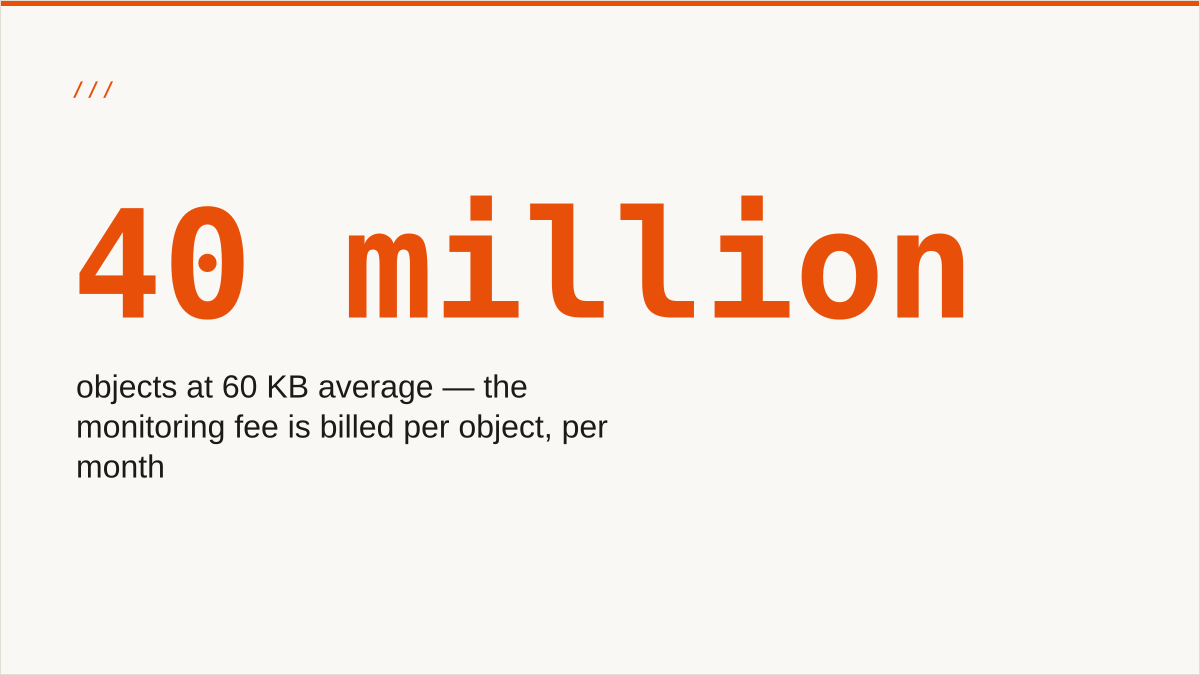
Suppose you have a bucket of 40 million objects, average size 60 KB. That is roughly 2.4 TB of bytes. Round numbers, illustration only.
In S3 Standard you pay the standard rate across 2.4 TB. One line, one rate, easy to reason about. Now enable Intelligent-Tiering. You still pay a storage rate on those bytes, and if the data is cold the tier rate is lower. But you also pay a per-object monitoring fee 40 million times a month. If that fee is a fraction of a cent, 40 million of them is a number in the hundreds of dollars. Against 2.4 TB of storage, that monitoring line can be the larger of the two.
Flip the object size and the whole picture inverts. Same 2.4 TB, but 2,400 objects at 1 GB each. The monitoring fee is 2,400 fractions of a cent, which is nothing. The storage savings across 2.4 TB of cold data is real money. Same bytes, same tier ladder, opposite verdict. The only thing that changed was how the bytes were chopped up.
That is the entire argument of this post in two paragraphs, and it is why "does Intelligent-Tiering save money" has no answer without an object count attached.
The tiers, in order, and what each one is for
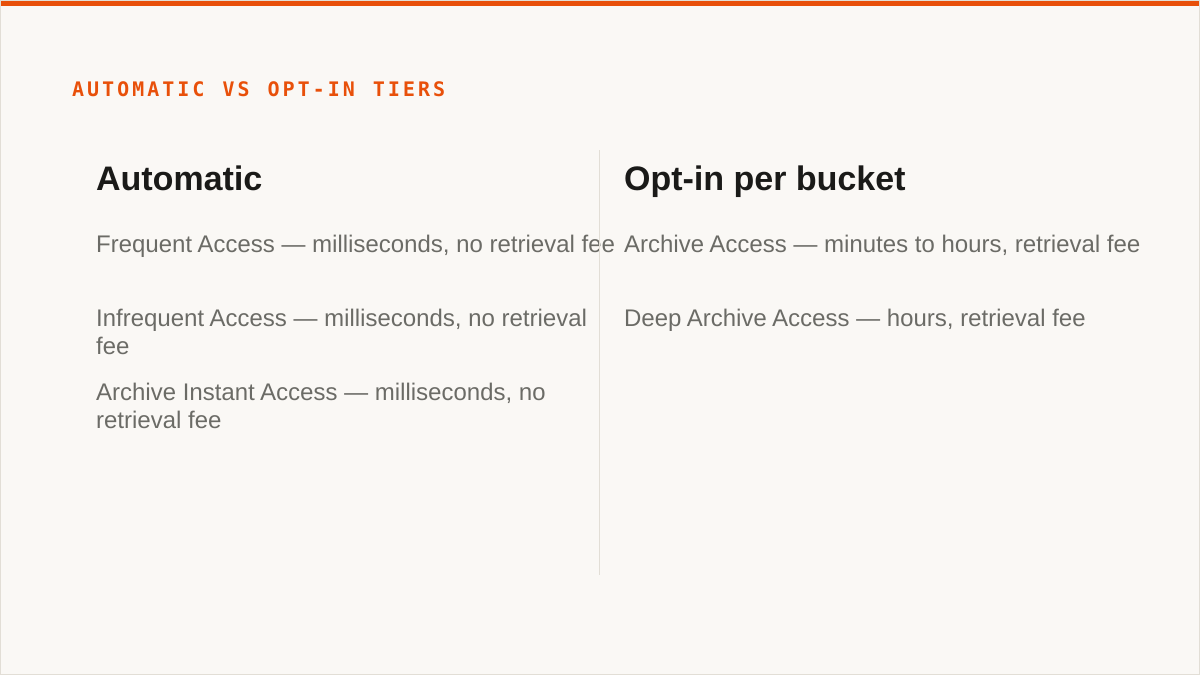
Five tiers. Three automatic, two opt-in. Here they are in the order objects move through them.
Frequent Access
The default landing tier. Everything enters here when it is first written as Intelligent-Tiering, and anything that gets read comes back here. Latency is the same as S3 Standard, milliseconds, no wait. This is the tier for data that is genuinely in rotation.
If you have seen the phrase "intelligent tier 0 storage" in a search box or an old spreadsheet, this is what it means. Intelligent-Tiering was originally described with numbered tiers, and tier 0 was the hot tier, later renamed Frequent Access. Same thing, newer name. AWS renamed it because "tier 0" reads like an internal identifier, which it was.
Infrequent Access
Objects that have not been read for a while land here. Same millisecond latency as Frequent Access. Same durability. Lower storage rate. No retrieval fee, which is the important bit: reading an object from this tier costs you nothing beyond the request itself. It is not a restore, it is a read.
This is where most of the value of Intelligent-Tiering lives for a typical bucket. Lots of data goes quiet after a month or two, and this tier catches it without anyone writing a rule.
Archive Instant Access
Colder still, but crucially still millisecond latency. This tier exists specifically to give you archive-class storage rates without the archive-class restore experience. Objects that have been idle long enough drop here automatically. Reads are still instant and still free of retrieval charges.
Archive Instant Access is the tier that makes Intelligent-Tiering worth the monitoring fee for a lot of people. You get close to archive pricing and you never have to explain to anyone why a file takes hours to come back.
Archive Access (opt-in)
Now we leave the automatic zone. Archive Access has a retrieval time measured in minutes to a few hours, and it has a retrieval fee. It is genuinely archival: you get a lower storage rate and you pay in latency and in restore cost.
This tier does not activate on its own. You have to switch it on, per bucket, in the lifecycle configuration. A lot of people enable Intelligent-Tiering, see the word "archive" in a blog post, assume their cold data is being pushed down to archive rates, and never check. It is not. By default, Intelligent-Tiering stops at Archive Instant Access.
Deep Archive Access (opt-in)
The cheapest tier, the slowest retrieval, the highest retrieval fee. Hours, not minutes. Same deal as above: opt-in, per bucket, off by default.
Deep Archive Access is where Intelligent-Tiering finally competes with Glacier Deep Archive on price, and it is the tier most people who enable Intelligent-Tiering think they are getting and are not.
Here is the tier table, because this is the kind of thing you want in a table:
| Tier | Activation | Latency | Retrieval fee | Intended for |
|---|---|---|---|---|
| Frequent Access | Automatic | Milliseconds | None | Live, actively read data |
| Infrequent Access | Automatic | Milliseconds | None | Data read occasionally |
| Archive Instant Access | Automatic | Milliseconds | None | Cold data you might still need instantly |
| Archive Access | Opt-in per bucket | Minutes to hours | Yes | Cold data, restore acceptable |
| Deep Archive Access | Opt-in per bucket | Hours | Yes | Cold data, restore rare |
The tiers that do not exist, and the tiering that never happens
There is no tier above Frequent Access. Intelligent-Tiering cannot make a hot object cheaper. It only ever moves objects down. If your problem is that everything is hot and expensive, the feature has nothing to offer you, and no config change will fix that.
There is no tier below Deep Archive Access. If you opt into both archive tiers and your data still costs more than you want, the next step is not another tier. The next step is a different provider, which is what the second half of this post is about.
And the tiering never happens at all if the object keeps getting read. That sounds obvious written down. It is not obvious when you are staring at a bucket that has been "Intelligent-Tiered" for a year and wondering why the storage line has not moved. An object read every 80 days never crosses a 90-day threshold. An object read once a week never leaves Frequent Access. The automation is working exactly as designed, and it is not saving you anything.
The pricing model, line by line, without invented numbers
We are not going to print dollar figures here, because AWS changes them, they vary by region, and a blog post with stale prices is worse than a blog post with no prices. What does not change is the shape of the bill, and the shape is what you need to reason about.
Four components:
1. Monitoring and automation, per object, per month
This is the Intelligent-Tiering tax, and it is the only line that is unique to this storage class. AWS charges a small amount per object per month to track access and run the automation. It is denominated in fractions of a cent, which is exactly why it is easy to ignore and dangerous to ignore.
This is the line that scales with object count, not with bytes. Read that again. Every other storage cost you have is denominated per gigabyte. This one is per object. A bucket with hundreds of millions of tiny objects pays this hundreds of millions of times a month regardless of how little data is actually in the bucket.
2. Storage rate, per tier, per gigabyte, per month
Each of the five tiers has its own storage rate. Frequent Access costs the most, Deep Archive Access the least. This is the part that behaves the way you expect, and it is where the savings come from. Bytes that drift down to Archive Instant Access cost meaningfully less than bytes sitting in Standard.
The rates are not published as a single table you can memorise, because they vary by region and AWS revises them. Look them up in the pricing calculator for your region and your expected tier mix. Do not trust a blog post. Not even this one.
3. Requests
PUT, GET, LIST. Standard S3 request pricing applies. Intelligent-Tiering does not change request costs. If your workload is request-heavy, the tiering is not the lever you should be pulling.
4. Retrieval fees, only in the opt-in tiers
Frequent Access, Infrequent Access and Archive Instant Access have no retrieval fee. Archive Access and Deep Archive Access do, and it scales with the volume you pull back. If you opt into those tiers and then need to read a lot of it, you will find out about the retrieval fee in a way that makes an impression.
What is not on the bill
- No lifecycle transition request charges for the three automatic tiers. AWS moving your object down is not a billable transition.
- No minimum storage duration charge for the automatic tiers. You can write an object and delete it the next day without a penalty.
- No per-object minimum size in the sense that Glacier has one. But see the next section, because the monitoring fee is the effective minimum.
The one qualification on early deletion: the opt-in archive tiers do carry a minimum storage duration, the same way Glacier does. If you opt into Deep Archive Access and delete an object before the minimum window elapses, you pay for the remainder. That is the trade for the cheaper rate, and it is the reason you should not opt in casually.
So the pricing model in one sentence: you pay a per-object monitoring fee every month for the privilege of having the per-gigabyte storage rate chosen for you automatically, and whether that is a good trade depends entirely on your average object size and your access pattern.
If you want to see what applying that model across buckets and providers actually looks like without building a spreadsheet, this is the thing we built: per-bucket cost visibility across providers. But keep reading first, because for some of you the answer is going to be "turn it off entirely," and that is a real answer.
Three buckets, three verdicts, same tier ladder
Bucket A: 500 GB, 200 objects, written once, read never. Average object size is 2.5 GB. The monitoring fee is 200 fractions of a cent, which rounds to nothing. The storage savings across 500 GB of cold data is real. Enable it, opt into the archive tiers, done.
Bucket B: 500 GB, 10 million objects, written once, read never. Average object size is 50 KB. The monitoring fee is 10 million fractions of a cent, which does not round to nothing. Against 500 GB, that monitoring line can exceed the entire storage line. Do not enable it. Transition the objects to a cold class with a plain lifecycle rule, or move them somewhere cheaper.
Bucket C: 500 GB, 10 million objects, mixed access, unpredictable. Some prefixes are hot, some are cold, and nobody can tell you which will be which next quarter. This is the bucket Intelligent-Tiering was built for. The monitoring fee is buying you a decision you genuinely could not make yourself, and that is worth paying for even at 50 KB average size.
Same bytes in all three. Same tier ladder. Three different answers. If you take one thing from this post, take that.
When Intelligent-Tiering costs you more than it saves
This is the section that the AWS marketing page does not have, and it is the one that matters.
The per-object monitoring fee is the enemy of many small files. That is the whole thing. Everything below is a restatement of it.
Small objects, lots of them
Say you have a bucket of image thumbnails, 50 KB each, hundreds of millions of them. That is tens of terabytes. In S3 Standard, that byte count is a number you can reason about. Under Intelligent-Tiering, you are paying a per-object fee hundreds of millions of times a month on top of the storage. If the per-object fee is a fraction of a cent, hundreds of millions of fractions of a cent is a real number. That was our bucket: the monitoring line was the problem, not the storage.
Now consider the savings side. Intelligent-Tiering saves you money by moving bytes from a hot rate to a cold rate. The storage rate difference between Frequent Access and Archive Instant Access, applied across tens of terabytes, is a real saving. But it has to exceed the monitoring fee to be worth anything, and when your average object is 50 KB, the monitoring fee is being charged against almost no bytes. The ratio is upside down.
The rough rule: the smaller your average object, the worse Intelligent-Tiering gets. If your average object is measured in kilobytes, run the numbers very carefully before you enable it. If your average object is measured in megabytes or gigabytes, the monitoring fee is a rounding error and the feature is close to free.
Everything is cold, permanently
If a bucket is genuinely archival, if nothing in it has been read in a year and nothing ever will be, Intelligent-Tiering is doing you a disservice by being clever. You do not need automatic tiering for data that is not going to move. You need it in the cheapest tier, once, and you need to stop paying for automation you are not using.
For these buckets, a lifecycle rule that transitions everything to a cold class on a schedule is cheaper, because it is a one-way trip and there is nothing to monitor. Certainty is cheaper than automation.
Everything is hot, permanently
Same argument, mirrored. A bucket that is read constantly will sit in Frequent Access forever. You are paying the monitoring fee to have AWS confirm what you already knew. For a bucket with a stable, known-hot access pattern, just use S3 Standard and skip the tax.
Short-lived objects
Objects that live for days or weeks do not have time to drift down a tier. They enter at Frequent Access, get deleted before they would have moved, and the only thing Intelligent-Tiering did for you was charge the monitoring fee. Log buckets, temporary artifacts, intermediate build output. If objects in a bucket are measured in days, Intelligent-Tiering is pure overhead.
The honest one, which is our bucket
Our bucket had hundreds of millions of objects. Average size was small, most of them had not been touched in months, and the ones that were touched were touched in bursts. Every property of that bucket was wrong for Intelligent-Tiering. We had enabled it because it sounded like the right answer, and we had never gone back to check whether the monitoring line was earning its keep.
The lesson is not "Intelligent-Tiering is bad." It is that Intelligent-Tiering is a tool for a specific shape of uncertainty, and we applied it to a bucket with no uncertainty at all. The data was cold. We knew it was cold. We were paying a per-object fee to have AWS figure out something we already knew.
The case nobody writes about: the bucket that is cold but not allowed to be
Some buckets are cold and cannot be tiered down at all, and no amount of arithmetic fixes it. Compliance retention windows that require an object to remain readable within seconds. Legal hold. Data whose access pattern is unknowable because the auditors show up unannounced and want a file from 2019 in the next five minutes.
For those buckets, the opt-in archive tiers are off the table regardless of price, because a restore measured in hours is a business problem, not a storage line item. You are capped at Archive Instant Access. Run the monitoring fee arithmetic against that ceiling and nothing else. If it does not clear, the answer is not a cheaper tier, it is a cheaper provider that still gives you instant reads.
And there is a fourth case: the bucket you are not allowed to move. Data residency rules, contractual commitments, a procurement agreement that names one provider. If the bytes cannot leave, then the provider comparison in the second half of this post is not available to you and the only lever left is the tier ladder. That is a real constraint and it is worth saying out loud, because a lot of storage advice quietly assumes you can move anything anywhere.
The config, and the one line everybody forgets
Here is the lifecycle configuration for the automatic tiers. This is the boring part, and it is the part that most people get right.
{
  "Rules": [
    {
      "ID": "intelligent-tiering-bucket-wide",
      "Status": "Enabled",
      "Filter": {
        "Prefix": ""
      },
      "Transitions": [
        {
          "Days": 0,
          "StorageClass": "INTELLIGENT_TIERING"
        }
      ]
    }
  ]
}
Attach it with the CLI:
aws s3api put-bucket-lifecycle-configuration \
  --bucket my-cold-bucket \
  --lifecycle-configuration file://lifecycle.json
That is the whole thing. Every object in the bucket moves into Intelligent-Tiering immediately, and AWS takes it from there. Note "Days": 0, which means transition on creation. If you want objects to spend their first week in Standard before they enter the system, set it to 7 and save the monitoring fee on objects that will be deleted before they tier anyway.
Now the part everybody forgets.
The automatic tiers stop at Archive Instant Access. Archive Access and Deep Archive Access are opt-in, per bucket, and they require an explicit configuration block that most tutorials do not show you.
Here it is:
{
  "Rules": [
    {
      "ID": "intelligent-tiering-with-archive",
      "Status": "Enabled",
      "Filter": {
        "Prefix": ""
      },
      "Transitions": [
        {
          "Days": 0,
          "StorageClass": "INTELLIGENT_TIERING"
        }
      ],
      "IntelligentTieringConfigurations": [
        {
          "Id": "archive-opt-in",
          "Status": "Enabled",
          "Tierings": [
            {
              "Days": 90,
              "AccessTier": "ARCHIVE_ACCESS"
            },
            {
              "Days": 180,
              "AccessTier": "DEEP_ARCHIVE_ACCESS"
            }
          ]
        }
      ]
    }
  ]
}
Same CLI call, same file path, different contents:
aws s3api put-bucket-lifecycle-configuration \
  --bucket my-cold-bucket \
  --lifecycle-configuration file://lifecycle-with-archive.json
The IntelligentTieringConfigurations block is the one line everybody forgets. Without it, objects that go quiet for a year sit in Archive Instant Access forever, and you never reach the Deep Archive rate that you assumed you were getting.
Two things to internalise about that block:
- The
Daysvalue is days since the object was last accessed, not days since creation. An object that gets read every 80 days will never hit the 90-day Archive Access threshold. This is the feature working as designed, and it is also how people end up confused about why nothing is tiering down. - Once you opt in, the archive tiers carry a minimum storage duration. Delete an object early and you pay for the remainder. This is the cost of the cheaper rate, and it applies only to the tiers you opted into.
Verify what actually got applied, because the console will happily show you the rule while the objects sit in the wrong tier:
aws s3api get-bucket-lifecycle-configuration --bucket my-cold-bucketAnd check the tier distribution of the objects themselves, because "I enabled Intelligent-Tiering" and "my bytes are in a cheap tier" are different claims:
aws s3api list-objects-v2 \
  --bucket my-cold-bucket \
  --query 'Contents[].StorageClass' \
  --output text | tr '\t' '\n' | sort | uniq -c
That last command is the one that would have caught our problem six months earlier. Run it. If the output is one line that says a few hundred million objects in INTELLIGENT_TIERING, you have not learned anything about where your bytes actually are, because INTELLIGENT_TIERING is the class, and the tier within it is not exposed through the API. Which is its own small frustration and a reason the billing line is sometimes the only place you find out.
Checking the monitoring line against the storage line
You can get the two numbers you need out of the Cost Explorer API without opening the console. Group by usage type for the bucket and look at the two lines side by side:
aws ce get-cost-and-usage \
  --time-period Start=2026-01-01,End=2026-02-01 \
  --granularity MONTHLY \
  --metrics UnblendedCost \
  --group-by Type=DIMENSION,Key=USAGE_TYPE \
  --filter '{"Dimensions":{"Key":"SERVICE","Values":["Amazon Simple Storage Service"]}}'
The output is a list of usage types with costs. Find the one that corresponds to Intelligent-Tiering monitoring and the one that corresponds to Intelligent-Tiering storage. If the monitoring line is bigger than the storage line, the feature is not saving you money, it is costing you money, and you can stop the whole analysis right there. That is the check. It takes a minute and it settles the argument.
We did not run it for eight months. That is the actual failure, more than the config.
What it does not do: it never looks at your other clouds
Here is the limit, stated plainly.
S3 Intelligent-Tiering is an S3 feature. It has no opinion about anything that is not S3.
It does not know about your Cloudflare R2 bucket. It does not know about Backblaze B2, Wasabi, MinIO, DigitalOcean Spaces, OCI, IBM COS, Scaleway, Linode, Vultr, Storj, IDrive e2 or Hetzner. It does not know that the same cold data might be cheaper somewhere else, and it is not designed to know. It optimises within one provider's tier ladder. That is the job.
And this is the point where the article stops being an AWS feature tour and becomes a storage cost argument, because the question that actually drives your bill is not "which tier is this object in" but "why is this byte on this provider at all."
Intelligent-Tiering is very good at answering the first question. It has no mechanism to ask the second one. AWS publishes a price for S3 Standard, a price for Infrequent Access, a price for Archive Instant Access, and the automation picks between them. It does not publish a comparison against a competitor's cold tier, for reasons that are obvious and not sinister. That comparison is your job.
The reason it matters is that provider cold-storage rates differ by a lot, and the differences are not small enough to ignore. Some providers charge no egress. Some have no minimum storage duration. Some have per-object minimums that punish small files the same way the Intelligent-Tiering monitoring fee does. Some are dramatically cheaper per terabyte for data you genuinely never read.
If your data is cold, and it is going to stay cold, and you can tolerate hours of restore latency, then the tier you want may not be a tier at all. It may be a different provider. Intelligent-Tiering cannot tell you that. It is not built to.
That is the gap. We built Storafleet to sit in it: a control plane over storage you already own, connecting 50+ S3-compatible providers plus any custom endpoint, so you can see per-bucket cost across all of them and move bytes between them when the arithmetic says you should. It never stores your file contents. It moves them.
Which brings us to the migration.
The comparison you have to do yourself
Four numbers per provider, and you can get all of them from a pricing page in ten minutes. The cold storage rate per terabyte. The egress cost. The minimum storage duration. The per-object minimum, if any.
Work an example with round numbers. Say you have 40 TB of genuinely cold data, no egress requirement, and you can tolerate hours of restore. Provider cold rates vary enough that the spread between the cheapest and the most expensive option is often several times, not several percent. On 40 TB, that spread is the difference between a bill you notice and a bill you do not. Do not take a number from this post, because we are not printing one. Take the four numbers from each provider's own pricing page and multiply.
The per-object minimum is the one people skip, and it is the one that bites. If a provider has a minimum billable object size and your average object is below it, you are paying for bytes that do not exist, which is the exact same failure mode as the Intelligent-Tiering monitoring fee wearing a different hat. Read the fine print on object minimums before you move 10 million 50 KB thumbnails anywhere.
Where rclone genuinely beats us and you should just use rclone
We are going to spend real space on this, because it is true and because a concession you immediately walk back is not a concession.
rclone is free. Permanently. There is no account, no subscription, no vendor, no namespace, no quota. It is a binary you download and run. Nothing we sell competes with that on price, because the price is zero and ours is not.
It supports more backends than we do. We connect the S3-compatible family and any custom S3 endpoint, which is 50+ providers and covers a lot of ground. rclone supports 70+ backends and the list includes the consumer clouds we deliberately do not touch. Google Drive, Dropbox, OneDrive, Box, SFTP, WebDAV, and a long tail of things we have no plans to support. If your data lives in one of those, rclone is not a fallback for us, it is the tool.
It mounts. There is a FUSE surface. Remote buckets appear as a directory in Finder or Explorer or on a Linux box, and applications that have no idea what S3 is can read and write them. We do not do this. We have no FUSE surface at all. If you need a filesystem, we are the wrong tool and rclone mount or Mountain Duck or ExpanDrive is the right one.
It is scriptable. It composes with cron, with systemd timers, with Makefiles, with CI pipelines, with shell scripts that do clever things with the output of rclone lsjson. We are a console. A console does not compose. If your workflow is code, and it is going to stay code, a CLI fits it natively and a web UI never will, no matter how good the web UI gets.
It runs inside your own security boundary. This is the big one. The credentials it uses are on your machine, in your config file, under your control. They do not sit in anyone else's database. If your requirement is "the keys never leave hardware I control," rclone satisfies that requirement in a way we fundamentally do not, and no amount of encryption on our side changes the shape of the answer. Our credentials are encrypted at rest with AES-256-GCM under per-namespace HKDF keys, and AWS can be connected keylessly by IAM role assumption, and all of that is true and genuinely good. It is also not the same as "the key never left my laptop." We are not going to pretend it is.
It has been maintained for over a decade. There is a track record. When you are deciding whether a tool will still be there in five years, a decade-old open-source project with a large contributor base has a much better answer than a small team that started in 2026. That is not false modesty, it is the actual risk assessment, and if longevity is the deciding factor for you, rclone wins on it.
So: if you want to move tens of terabytes between two S3-compatible providers once, on your own machine, with your own credentials, and never pay anyone, rclone is the answer and you should stop reading here and go run it. That is not a marketing position, it is what we did, and the only reason we did not use our own product for the migration is that the migration predated the product being ready for it.
Here is the exact command we used, because it is the one thing in this post that actually moved bytes. Server-side copy where both endpoints are the same provider, client-side where they are not:
rclone copy s3-old:my-cold-bucket s3-new:my-cold-bucket \
  --transfers 32 \
  --checkers 16 \
  --fast-list \
  --progress \
  --log-file /var/log/rclone-migration.log
Then a second pass with rclone check to verify counts and hashes, because a copy that reports success and is missing a prefix is the failure mode that costs you eighteen months later:
rclone check s3-old:my-cold-bucket s3-new:my-cold-bucket \
  --size-only \
  --one-way
That is the whole migration. Two commands and a log file. We are not going to dress it up.
What we do not concede, because it is not true, is that rclone makes a console pointless. It does not. The rest of this post is about the cases where it does not.
Who should not use Storafleet for this, and what to use instead
Straight list. If you are in one of these buckets, do not buy our thing for this job.
Your budget is zero
Use rclone. The conversation is over and rclone wins. There is no version of this where a paid product is the right answer for someone who has decided not to pay, and we would rather you spend your time running rclone than evaluating us. rclone does the copy, does it well, and costs nothing.
You need storage mounted as a filesystem
Use rclone mount, Mountain Duck or ExpanDrive. We have no FUSE surface and we are not building one. If the requirement is "this bucket appears as a Z: drive," we cannot meet it and those can.
You need Google Drive, Dropbox, OneDrive or SFTP
Use rclone or MultCloud. We connect S3-compatible endpoints and nothing else. The consumer clouds are a deliberate exclusion on our part, and if your data is there, we are simply not the tool. MultCloud covers that ground specifically. rclone covers it too, along with almost everything else.
Your credentials must never leave hardware you control
Use rclone. Our credentials sit encrypted in our database. The encryption is real and the IAM role path for AWS means an AWS key never touches us, but if the requirement is absolute and applies to every credential, rclone running on your own machine is the only answer that satisfies it. We are not going to talk you out of a security requirement by pointing at our encryption, because the requirement is about trust topology, not about cipher strength.
Everything lives in one cloud and always will
Use that provider's own console. It is free, it is authoritative, and it is always current with the newest features of that provider in a way a third party, by definition, is not. AWS ships a new storage class and updates the console the same day. We read the API changelog and catch up. If you are never leaving, the native console is strictly better and costs nothing.
Your workflow is entirely code and always will be
Use a CLI. rclone, or the AWS CLI, or whatever composes with your pipeline. A console does not compose with make. It does not return an exit code to a shell script. It does not fit in a GitHub Action without ceremony. If the answer to "how does this run" is always "in a script," a CLI is the correct shape of tool and a web UI is not.
You need a named reference customer
We have no published case studies and no named customers, and we will not invent them. If your procurement requires a reference customer, we cannot provide one and you should use a provider who can. We started in 2026. A decade-old project or an established vendor has a better answer to that specific question.
You are moving data once and never again
Use rclone. A control plane earns its keep when it runs repeatedly and when you need to look at cost across more than one provider on an ongoing basis. If the job is one migration and then you are done, you are paying a subscription for a script. Run the script.
That is eight ways to not buy our product. We would rather write them down than have you find out after you have paid.
What we would actually do with a cold bucket today
In order. The order is the point.
1. Measure access patterns before you change anything. Turn on S3 server access logging or CloudTrail data events if they are not already on, or pull the existing logs, and answer one question: what fraction of the bytes were read in the last 90 days, and how many objects were read at all. Not how many bytes exist. How many were touched. For our bucket the answer was a rounding error, and that answer alone would have told us not to enable Intelligent-Tiering.
2. Compute average object size. Total bytes divided by object count. This is a thirty-second calculation and it determines whether the per-object monitoring fee is a rounding error or the dominant line on your bill. Under roughly 128 KB average, be sceptical. Under 128 KB average with a huge object count, be very sceptical.
3. Decide whether Intelligent-Tiering is even the lever. Three cases.
- Access pattern is uncertain and mixed (some hot, some cold, and you cannot predict which): Intelligent-Tiering is the right tool, and the monitoring fee is buying you something real.
- Access pattern is known-cold: skip Intelligent-Tiering. Use a lifecycle rule to transition everything to a cold class on a schedule, or move it to a cheaper provider. You do not need automation for data that is not moving.
- Access pattern is known-hot: skip Intelligent-Tiering. Use Standard. You are paying for a decision you have already made.
4. If you do enable it, opt into the archive tiers explicitly. The IntelligentTieringConfigurations block. Otherwise you are capped at Archive Instant Access and you have not reached the tier you thought you were buying. And check the minimum storage duration on those tiers before you opt in for a bucket whose data might get deleted.
5. Compare provider cold-storage rates before you commit to a tier ladder. This is the step Intelligent-Tiering cannot do for you and the step most teams skip. Get the cold rate per terabyte, the egress cost, the minimum storage duration and the per-object minimum from two or three providers. If you have tens of terabytes of genuinely cold data and no egress requirement, the difference between the best and worst option is often larger than the difference between the hot and cold tier on any single provider. That is not a subtle point. It is the whole argument.
6. Pick the tool based on who is doing the work. If it is you, on your laptop, once, with your own credentials: rclone. If it is a scheduled job that runs every night and you want to see the results without reading a log file, and the endpoints are all S3-compatible, and you want one place to look at cost across all of them: that is the case for us, and that is the only case we are making. If the credentials cannot leave your hardware: rclone, and the conversation is over.
7. Verify with counts, not with exit codes. Both sides. Every time. A migration that reports success and is missing a prefix is worse than a migration that fails loudly, because you will find out about the silent one eighteen months later when someone asks for a file.
The decision, then, is not "Intelligent-Tiering yes or no." It is: how uncertain is my access pattern, how big is my average object, and is the cheapest cold byte on my current provider actually the cheapest cold byte available to me. Answer those three and the tiering question answers itself.
Ours had no uncertainty, small objects, and a much cheaper cold provider sitting right there. It took a monitoring line that scaled with object count to make us look.