
Tempo S3 Storage: How Grafana Tempo Uses Object Storage
October 2026 · 11 min read · Surya
Tempo does not store traces in S3 the way most people picture it. There is no table of spans in a bucket, no one row per request, no query engine reading a giant CSV. Grafana Tempo writes objects, and it writes them in a small number of fixed shapes, and if you get the layout wrong the storage bill and the query latency both surprise you. If you searched for "tempo s3 storage" expecting a connector guide, that is the first correction worth absorbing.
The useful part is what comes after it: Tempo only needs an S3-compatible endpoint. Not Amazon. An endpoint. So the provider is a decision you make, not a constraint you inherit from the project's documentation. That distinction is the whole game for cost, retention and where your data physically sits.
Tempo does not need S3. It needs an S3-compatible endpoint and four prefixes.
Tempo talks the S3 API, not Amazon specifically. Point it at MinIO, Cloudflare R2, Backblaze B2, Wasabi, Ceph, or any custom endpoint and it will behave the same way, provided the endpoint implements the parts of the S3 API Tempo actually exercises. That is a smaller surface than "S3-compatible" marketing implies, and a larger surface than "it's just PUT and GET".
The config is a block in the Tempo config file, and it is worth reading the shape of it because the prefix layout is the whole story:
storage:
  trace:
    backend: s3
    s3:
      endpoint: s3.example-objectstore.com
      bucket: tempo-traces
      access_key: ...
      secret_key: ...
      insecure: false
  wal:
    path: /var/tempo/wal
  blocklist_poll: 5m
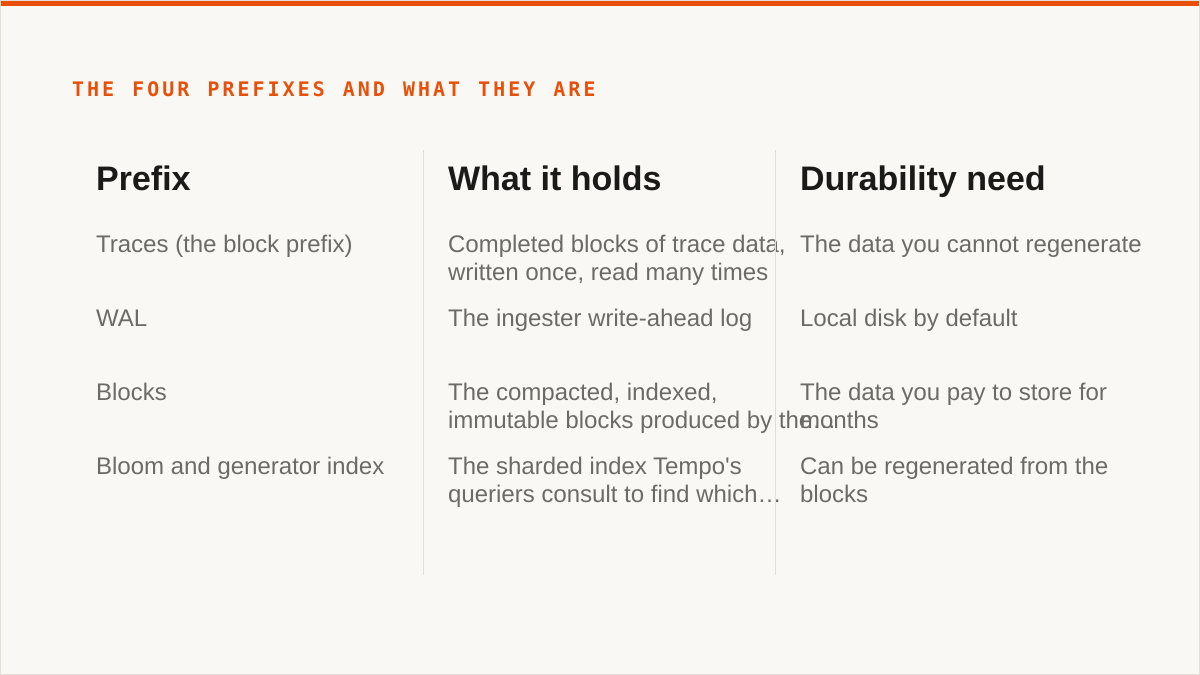
Then there are the prefixes. Tempo lays out four distinct kinds of data under configured paths, and conflating them is where people get into trouble. That four-prefix claim is not folklore and you should not take our word for it: it is described in Tempo's own architecture documentation, under the storage section, and the config keys for each path (block, wal, index and the bloom/generator index) are in the Tempo configuration reference. Read them at the version you actually run, because the layout has changed across releases. If you are on an older Tempo, the prefix set may not match this post exactly and the docs for your tag are the only authority that counts:
- Traces (the block prefix). Completed blocks of trace data, written once, read many times.
- WAL. The ingester write-ahead log. Local disk by default, and that default is a deliberate warning.
- Blocks. The compacted, indexed, immutable blocks produced by the compactor.
- Bloom and generator index. The sharded index Tempo's queriers consult to find which blocks are worth opening.
The fuzzy version, "Tempo stores traces in S3", collapses all four into one blob and then makes every retention and cost decision wrong. It is not one blob. It is a set of prefixes with different lifecycles, different durability requirements and different access patterns. When someone tells you their Tempo bucket is enormous and they cannot work out why, nine times out of ten they have versioning on and a lifecycle rule pointed at the wrong prefix.
The block is the unit. Everything else is a cache you can lose.
A completed block is immutable. That single property is what makes Tempo's storage model pleasant to operate, and it is worth stating as its own paragraph because everything downstream follows from it. Again, this is a documented property of the format and not something we measured: Tempo's block format documentation describes blocks as immutable once written, and the compactor's job is to produce new blocks rather than edit existing ones. Verify it against the docs for your release before you build a migration plan on it.
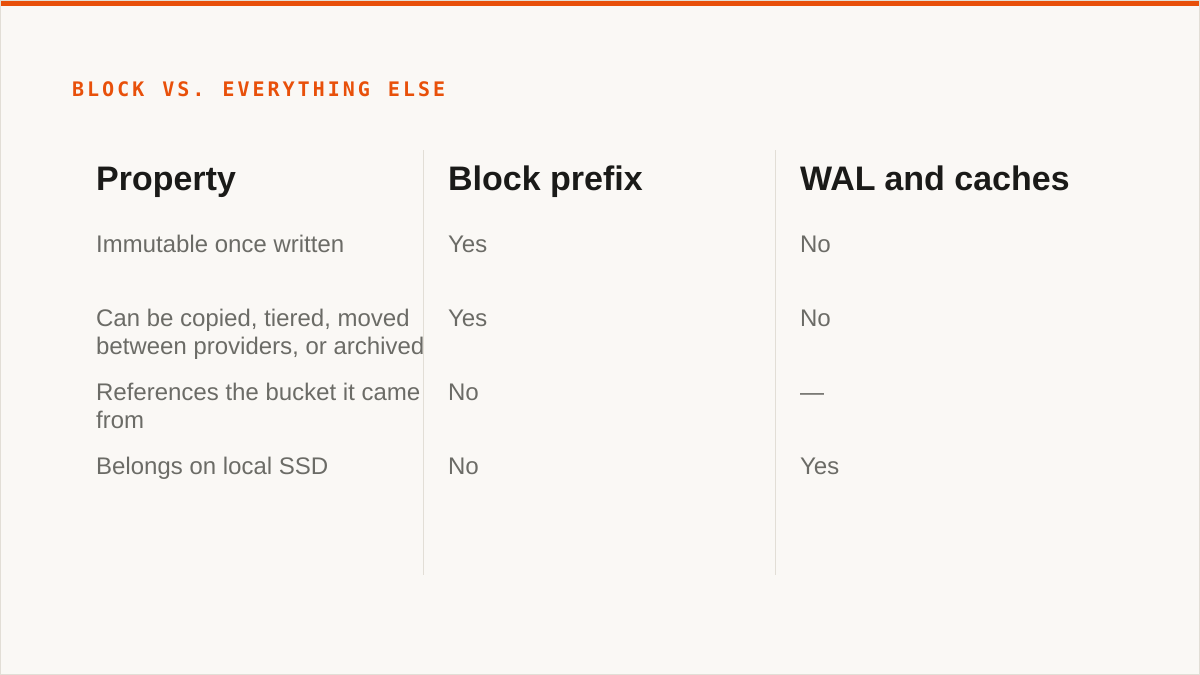
Immutability means a block can be copied, tiered, moved between providers, or archived without Tempo noticing. You can take the blocks written in January, copy them to cheaper storage, and Tempo will read them from wherever the blocklist says they live, as long as the blocklist is updated and the object is reachable at the expected path. Nothing in the block references the bucket it came from. There is no internal pointer that breaks when the hostname changes.
The same is not true of the other three prefixes. The ingester WAL is a local buffer, rebuildable by definition, and it exists to survive a process crash, not a disk failure. If you put the WAL on object storage you have not made it durable, you have made it slow. The querier cache and the index cache are, as the names suggest, caches. Losing them costs you query latency and nothing else. The generator index can be regenerated from the blocks. This is the design working as intended.
Which means provider choice matters far more for the block prefix than for anything else. Blocks are the data you cannot regenerate, the data you pay to store for months, and the data you will eventually want to move. The WAL and the caches are a per-node operational concern and belong on local SSD.
Tempo's own documentation is blunt about this: run the ingesters with local persistent volumes and treat the object store as the durable tier. People who skip that sentence and put the WAL on S3 spend a week wondering why ingestion throughput fell off a cliff.
Retention is a lifecycle rule, not a Tempo setting, and that catches people out.
Tempo does not expire your data. Your bucket policy does. There is no retention_days key in the Tempo config that quietly deletes old traces. You write a lifecycle rule on the object store, and that rule is now part of your trace retention policy whether you documented it or not.
The practical daily operations are unglamorous:
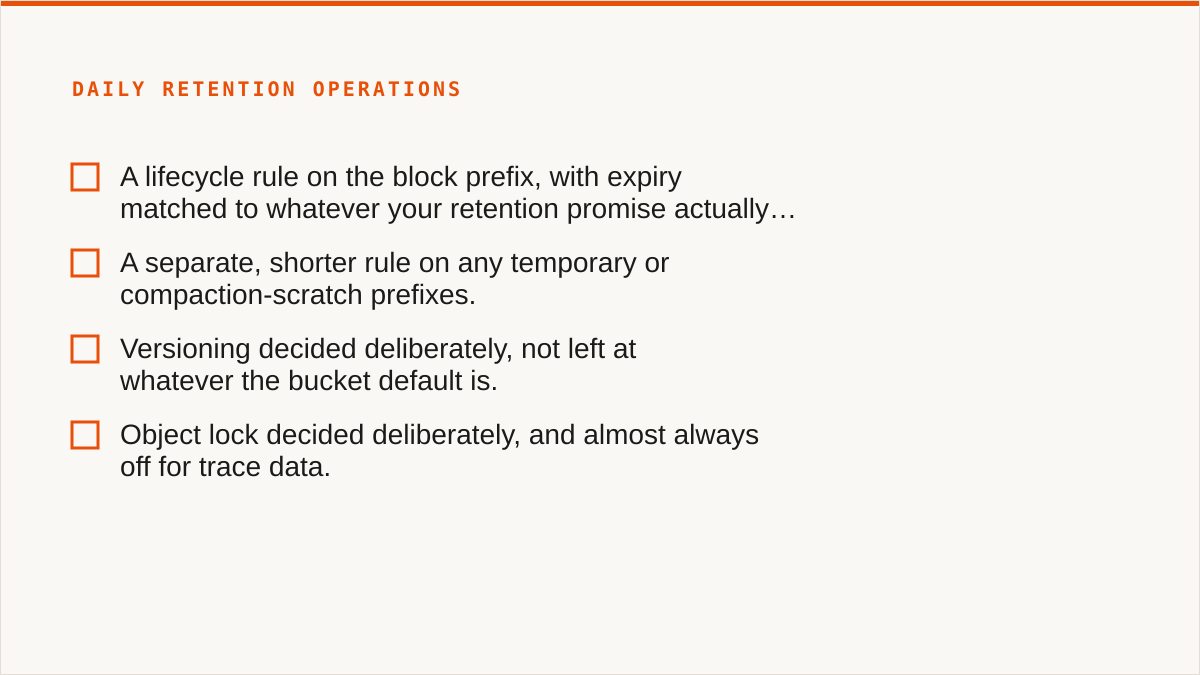
- A lifecycle rule on the block prefix, with expiry matched to whatever your retention promise actually is.
- A separate, shorter rule on any temporary or compaction-scratch prefixes.
- Versioning decided deliberately, not left at whatever the bucket default is.
- Object lock decided deliberately, and almost always off for trace data.
The failure mode is specific and worth naming. If you delete a block object early, or let a partial or un-compacted block age out via a lifecycle rule, Tempo does not show you a clean gap in the timeline. It throws query errors. The blocklist still references a block that no longer exists, and the querier fails when it tries to open it. From a dashboard that looks like Tempo is broken. It is not. You deleted the thing it was told was there.
Versioning deserves its own paragraph. Turn it on, delete a block, and the object is still there, still billed, invisible to your lifecycle rule's expectations. A bucket with versioning on quietly doubles your storage bill and the extra copy is the one nobody looks at. If you want versioning, pair it with a noncurrent-version expiry rule from day one. If you do not have a reason, leave it off.
Callout: the retention rule and the Tempo config drift apart. Somebody changes the lifecycle rule in the bucket console. Nobody changes the runbook. Six months later the retention promise in the compliance document and the actual expiry on the objects disagree, and you find out during an audit. Pick one place as the source of truth for retention and make the other one follow it. A console that shows lifecycle configuration per bucket is useful precisely because it makes that drift visible, but it does not stop you creating it.
There is also a scale question hiding here. Listing a prefix with millions of objects to apply or verify a rule is not free, and some object stores list far faster than others. This is one of the places where provider choice stops being a cost decision and becomes an operational one.
Any S3-compatible bucket works. That does not make all of them equal.
The differences that actually bite, in the order they tend to bite:
Request pricing on small objects. Tempo writes and reads a lot of small objects, especially index shards and compacted block metadata. A provider with a low per-gigabyte price and a high per-request price can end up more expensive than a provider with the reverse, and the arithmetic is not obvious until you have a month of real traffic. Model it before you commit, not after.
Egress. If queriers run in a different region or network from the bucket, every query pays to move bytes. If they run in the same place, it does not. This is a bigger lever than the storage rate for most deployments.
Consistency assumptions. Modern S3-compatible stores generally give you strong read-after-write for new objects, but "generally" is doing work in that sentence. Tempo's blocklist polling assumes it can list and see recent writes within a reasonable window. If your provider has a list-consistency lag, you get queries that miss recent data for a few minutes, and it looks like a Tempo bug.
List and delete throughput. Tempo's operational docs assume you can enumerate and remove objects quickly. Compaction and retention both lean on it. A provider that throttles LIST aggressively will make your compactor sad.
So the honest framing: any S3-compatible bucket works, and the ones that work well for Tempo are the ones that are fast at LIST, cheap at small-object requests, and co-located with your queriers.
Where Storafleet fits, honestly. We are a control plane for object storage you already own. We never hold your file contents. We connect 50+ S3-compatible providers plus any custom endpoint, and we let you browse, migrate and sync between them, schedule recurring jobs, search across buckets globally, configure lifecycle, CORS, versioning and object lock, detect duplicates, and see per-bucket cost in one place. For the Tempo block prefix specifically, that means you can move a year of immutable blocks from one provider to another without touching Tempo's config beyond the endpoint, or keep hot blocks on fast storage and cold ones on cheap storage, or reconcile a lifecycle rule that drifted. If you are running Tempo across more than one provider or expect to, the multi-cloud view is the part that earns its keep. Migrated bytes are unmetered on every tier including Free, because we charge a flat subscription and not per gigabyte moved.
What we are not. We are not a cache. We are not a mounted filesystem. We are not a substitute for Tempo's own ingester WAL, querier cache or generator index, and if you try to use us as one you will have a bad time. We are a console that moves and organises blocks across providers, and that is the whole of the claim.
Who should not use us for this
If your budget for this is zero, the conversation is over and rclone wins. It is free permanently, has no account and no vendor, supports 70+ backends including consumer clouds we do not touch, mounts, runs scriptable inside your own security boundary, and has been maintained for over a decade. For a large number of Tempo operators, rclone plus a cron job is the correct answer and we will say so. If that is you, stop reading and go write the cron job.
If you are a single operator with one bucket and one provider, use the provider's own console and rclone. The provider console is free, current, and knows its own quirks better than we ever will. rclone covers the scripted end of it. Between those two you have the whole job, and paying us a subscription to sit in the middle of a one-bucket setup is money you do not need to spend.
If you need remote buckets to appear in Finder or Explorer, use rclone mount, Mountain Duck or ExpanDrive. We have no FUSE surface. We cannot do it and we are not going to pretend a web UI is the same thing.
If the workflow is entirely code and always will be, use a CLI. A binary composes with cron, systemd, CI pipelines, Makefiles and shell scripts. A console does not, and it never will. That is a real limitation, not a positioning choice.
If your credentials must never leave hardware you control, rclone is the stronger answer. We encrypt credentials at rest with AES-256-GCM and per-namespace HKDF keys, and AWS can be connected keylessly via IAM role assumption, but "the keys never left my laptop" is a better sentence than ours and it would be dishonest to claim otherwise.
If everything lives in one cloud and always will, that provider's own console is free and more current than we are. Use it.
And a candid one about us specifically: Storafleet started in 2026 and we are a small team. We have no published case studies and no named customers, and we will not invent them. On the question "will this still exist in five years", a decade-old open-source project has a better answer than we do. If that matters more to you than a cross-provider view of your block storage, choose the project and not the product. We would rather you ran Tempo well on a tool we do not sell than ran it badly on ours.
The same goes for the migration itself. If you have a hundred blocks and one provider, rclone sync from a shell is a two-minute job and the right one. If you have ten thousand blocks across three providers, a retention rule that drifted, and a compliance document that disagrees with your bucket, that is the shape of problem we exist for. Nothing in this post is an argument for the second case being your case.