
Do You Need an S3 File Manager, or Just the AWS Console?
October 2026 · 9 min read · Surya
A developer has the AWS S3 console open in one tab, a Cloudflare R2 dashboard in another, and a Backblaze B2 window behind that, hunting for a 400 MB log file whose name they half remember. That is the moment the question of an S3 file manager stops being theoretical and becomes a tab-management problem with a cost attached.
We sell one, so treat everything below as an argument from an interested party. Here is the verdict up front, because you came here for one. If rclone or a CLI can do the job, use rclone or the CLI. They are free, they run inside your own security boundary, and they are better than us at most of what an S3 file manager claims to do. Storafleet is the right answer in one narrow case, and we will tell you exactly where that case starts and ends.
The first hint you need one is when you open three tabs to answer one question
The AWS console is a good product. It is fast, it is always current with whatever S3 shipped last week, and it costs nothing. If every object you own lives in one AWS account, close this tab and go back to it. We mean that.
The console stops being enough at a very specific point, and it is not "when you have a lot of data". It is when a single question requires more than one provider's UI.
Which bucket is that log file in? Is this object in R2 or B2? What is actually costing me money this month across four accounts? Those are cross-provider questions, and no single provider's console can answer them, because each one is built on the correct assumption that it is the only cloud you have.
Cross-provider browsing is a real category of work and it is smaller than the marketing around it suggests. If you have one AWS account and one R2 bucket for CDN offload, you are arguably already cross-provider. But the console plus a second console plus a spreadsheet of egress prices is a workflow, and it is a bad one.
Three tabs is the smell. Not the number of objects. Not the number of terabytes.
A manager is not a drive, and most complaints start with that confusion
We lose people here, and we lose them because they wanted something else.
A web file manager is a browser surface: you open a page, you see buckets and prefixes, you drag files, you search, you run a migration. A mounted filesystem is a different thing entirely. The bucket appears as a letter on Windows or a folder in Finder, and every application on your machine can read and write it as if it were local. They feel adjacent. They are not.
Storafleet does not mount anything. There is no FUSE surface, and there will not be one. If you want remote buckets to show up in Finder or Explorer, use rclone mount, Mountain Duck or ExpanDrive. Those tools do that job properly and we do not do it at all. A large fraction of "your S3 manager is broken" complaints are actually this: someone wanted a drive and got a console.
There is a good reason the two live apart. Mounting object storage makes it look like a filesystem, and it is not one. Renames that should be instant become copy-and-delete across hundreds of keys. Latency that a web UI hides becomes a spinning beachball in your editor. Every tool that mounts S3 well has spent years on caching and consistency tricks, and users still get bitten by the gap. We chose not to ship that surface rather than ship a bad version of it.
So: console for browsing, mount for working. Different verbs.
Where Storafleet actually beats the provider consoles, and where it does not
The case for us is entirely cross-provider and entirely human. If either of those words does not describe your work, we are not the answer.
We connect 50+ S3-compatible providers and any custom endpoint: Amazon S3, Cloudflare R2, Backblaze B2, Wasabi, MinIO, DigitalOcean Spaces, Oracle Cloud, IBM Cloud Object Storage, Scaleway, Linode, Vultr, Storj, IDrive e2, Hetzner. One credential set per provider, one UI over the top.
What that buys you, concretely:
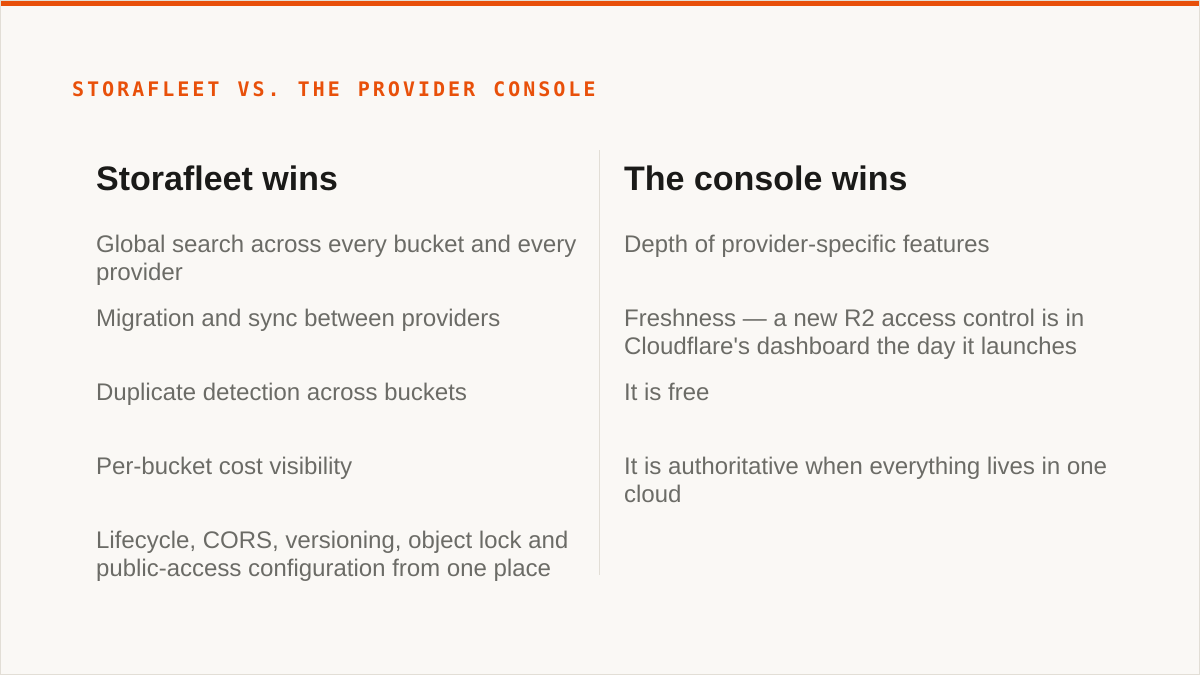
- Global search across every bucket and every provider you have connected. One query, all clouds. Not a prefix search inside one bucket. If you have ever typed a filename into four separate consoles, this is the feature that pays for the subscription.
- Migration and sync between providers, one-time or scheduled. Move a dataset from B2 to R2 without staging it through a laptop or standing up an EC2 instance to run a script.
- Duplicate detection across buckets, which is the only way to find out that you have been paying to store the same backup three times in three clouds.
- Per-bucket cost visibility. Not a bill. An estimate of what each bucket is contributing, so you can see the shape of your spend before the invoice arrives.
- Lifecycle, CORS, versioning, object lock and public-access configuration from one place, rather than re-learning each provider's slightly different version of the same panel.
Pricing is a flat subscription. We never charge per gigabyte to move data, and migrated bytes are unmetered on every tier including Free. The free tier differs on concurrent migration jobs and scheduled sync, not on how much you can move. When you are ready to look at the actual surface, the file browser is where the cross-provider browsing lives.
Where we do not beat the consoles: depth of provider-specific features, and freshness. When R2 ships a new access control, Cloudflare's dashboard has it the day it launches. We have it when we have it. If you live inside one provider and use its newest toys, its console is strictly better than us and it is free.
The credentials question is the one people get wrong
You are handing a third party keys to your storage. That deserves a straight answer, not a badge.
Credentials are encrypted at rest with AES-256-GCM, with per-namespace HKDF-derived keys, so one namespace's key material does not decrypt another's. For AWS specifically, you can connect keylessly via IAM role assumption, which means no long-lived access key exists at all.
And here is the part we will not spin: your credentials sit encrypted in our database, not on your own hardware. "The keys never left my laptop" is a categorically stronger security posture than "the keys are encrypted in someone else's database, trust us". rclone runs inside your security boundary. It always will. If your threat model requires that no third party ever holds a decryptable copy of your keys, rclone is the right tool and we are the wrong one. That verdict does not change because we offer IAM role assumption, and it does not change because the encryption is sound. The IAM-role path only removes the long-lived key for AWS-only setups, and it still routes through our infrastructure. For everyone else, custody stays with us, and that is a real cost you are accepting.
We are a small team. Storafleet started in 2026. We have no published case studies and no named customers, and we are not going to invent them for a blog post. On the question "will this still exist in five years", a decade-old open-source project with thousands of contributors has a better answer than we do. That is simply true, and it is the first thing we would tell a friend asking.
If your answer to "who holds the keys" has to be "nobody but me", stop reading and go install rclone. It is free, it is excellent, and it is the right call.
Do not use us for any of these five things
1. Your budget is zero. rclone. The conversation is over and rclone wins. It is free permanently, with no account and no vendor, it runs inside your own boundary, and it has been maintained for over a decade. A flat subscription is cheap, but it is not free, and if free is the constraint then the answer is already decided.
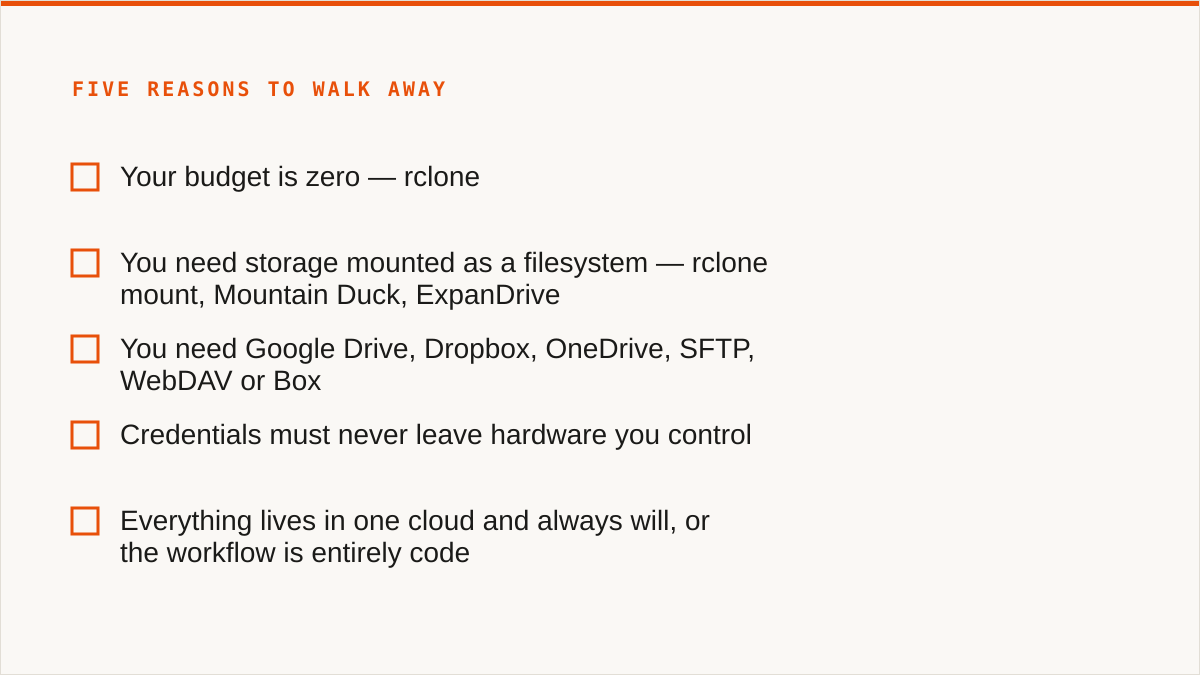
2. You need storage mounted as a filesystem. rclone mount, Mountain Duck, ExpanDrive. We have no FUSE surface. A desktop client with a one-time licence, where files stay on your machine, is a better fit for one person managing a few buckets than a subscription to us.
3. You need Google Drive, Dropbox, OneDrive, SFTP, WebDAV or Box. We connect the S3-compatible family and custom S3 endpoints, and nothing else. That is deliberate, not a roadmap gap. For Drive-to-bucket work, use rclone, which supports 70+ backends and has been maintained by its community for over a decade, or MultCloud, which covers the consumer clouds we do not touch.
4. Credentials must never leave hardware you control. rclone, or our IAM-role connect if AWS is the only provider in play. See the section above. We are not going to pretend encryption-at-rest is the same thing as custody.
5. Everything lives in one cloud and always will, or the workflow is entirely code. If it is one cloud forever, that provider's own console is free, always current, and authoritative. Use it. If it is code, a CLI composes with cron, systemd, CI and Makefiles in a way a web UI never will. Storafleet is a console, not a command, and we are not going to bolt a half-usable CLI onto it to win a comparison table.
What is left, after all that, is a narrow but real slice: teams with data spread across two or more S3-compatible providers, humans doing the browsing and the moving, who want one search box and one migration tool and a flat bill. If that is you, the cross-provider case is what we built, and the file browser is where it starts. If it is not you, one of the six tools named above is, and we would rather you used the right one.
The short version, if you skipped to the bottom. If your data lives in one cloud, use that provider's console. If you need a bucket mounted as a drive, use rclone mount, Mountain Duck or ExpanDrive. If your budget is zero, or your keys must never leave hardware you own, use rclone, which supports 70+ backends and has been maintained for over a decade. If your workflow is code, use a CLI. Storafleet is for the case where humans are browsing and moving data across two or more S3-compatible providers at once, and that is the only case we are the right answer for.