
Oracle Cloud Infrastructure Storage: Connecting Storafleet
September 2026 · 6 min read · Surya
Storafleet is a control plane for object storage you already own. We never store your file contents. We do store your credentials, encrypted, and that sentence is load-bearing for everything below.
Connecting OCI to Storafleet: the exact steps, including the one where your Access Key and Secret Key get typed into someone else's form
Before you touch our UI, OCI has to be ready. Three things:
- An Object Storage bucket that already exists. We connect to buckets; we do not provision them. Create it in the OCI console first, with the namespace you intend to use.
- Confirm you are using the S3-compatible endpoint, not Swift. This is the first place people stall. OCI exposes both, they look similar in a docs page, and only one of them speaks the API we speak.
- Generate a Customer Secret Key. In OCI: your profile menu →
Customer Secret Keys→Generate Secret Key. OCI hands you an Access Key and a Secret Key once. Copy both. There is no second showing.
Now the connection itself:
- Go to the Storafleet connect page and choose Oracle Cloud (OCI) from the provider list, or pick
Custom S3 endpointif you prefer to type it yourself. - Enter the endpoint URL. The shape is
https://<namespace>.compat.objectstorage.<region>.oraclecloud.com— substitute your tenancy namespace and the region your bucket actually lives in. A wrong region here produces an auth error that looks like a credential error, which is a genuinely nasty afternoon. - Paste the Access Key from your Customer Secret Key pair.
- Paste the Secret Key.
- Name the connection something you will recognise in six months, because you will have several.
- Save, then immediately browse a bucket to confirm the handshake.
Step 4 is where a lot of people stop typing. Pasting a credential that grants bucket-wide authority into a database you do not administer is not paranoia, it is correct instinct, and we are not going to talk you out of it in this section.
What actually happens to that Secret Key on our side is the part most vendors wave at. The key is encrypted before it touches disk, with AES-256-GCM, under a key derived per-namespace with HKDF. It is decrypted in memory only when a job runs, and never written to a log. It is never returned by the API — the read endpoint returns a masked value and a fingerprint, so you can confirm which key is stored without being able to read it back. Revoke the Customer Secret Key in OCI and the next job fails with an auth error, loudly, in the job history. We do not cache around a revoked credential. That is the honest version of "we store your credentials, encrypted," and if it is not enough for you, the section further down is the one you want.
The partner checklist: what to verify before you trust any control plane with an OCI bucket
Apply this to us. Apply it harder to anyone else who calls themselves an oracle cloud infrastructure storage partner, because most of them will not have written it down.
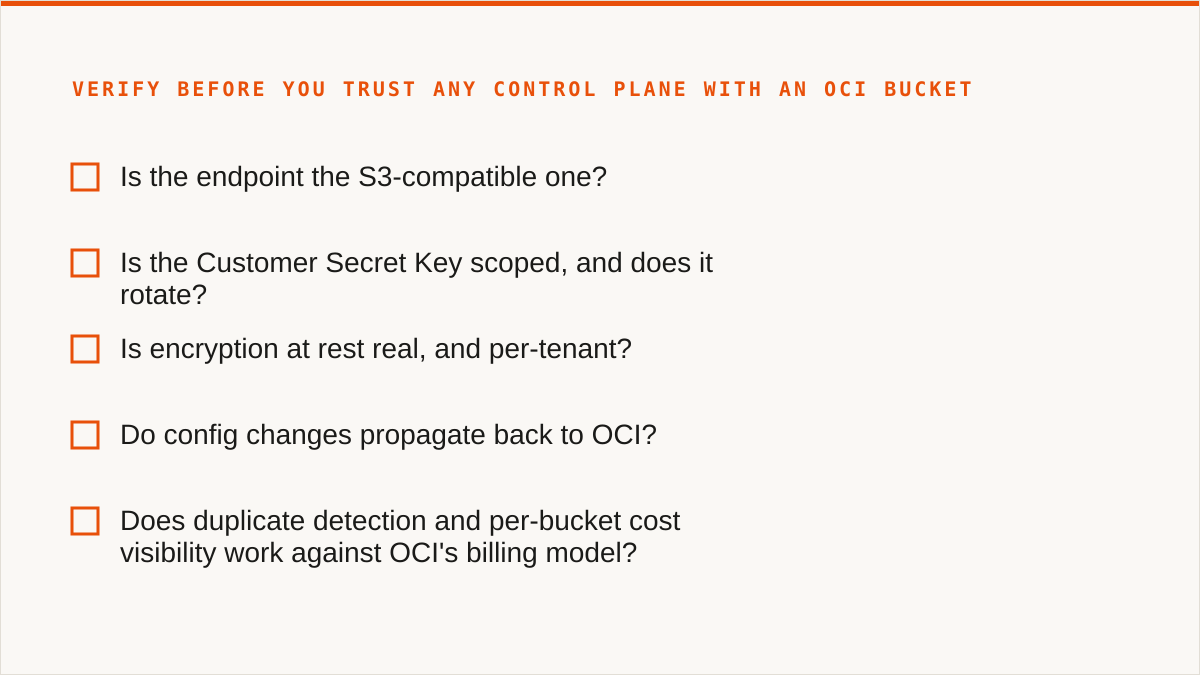
- Is the endpoint the S3-compatible one? If their setup guide asks for a Swift endpoint or a tenancy OCID in place of an endpoint URL, they are not speaking S3 to OCI and the failure modes will be strange.
- Is the Customer Secret Key scoped, and does it rotate? OCI Customer Secret Keys are not fine-grained IAM policies in the way AWS keys can be. Ask what happens the day you revoke it. With us: the connection breaks, loudly, and you re-paste. Nothing else in your account is touched.
- Is encryption at rest real, and per-tenant? Ours is AES-256-GCM with per-namespace HKDF-derived keys. Ask any vendor for the specific cipher and the key derivation, not the word "encrypted".
- Do config changes propagate back to OCI? Set a lifecycle rule or a CORS policy in the control plane, then check the OCI console. If the change only exists in the vendor's own database, you have been sold a shadow copy of your bucket.
- Does duplicate detection and per-bucket cost visibility work against OCI's billing model? OCI bills differently from AWS, and a cost panel that assumes S3 pricing is decorative.
- Run one scheduled sync job end to end. Not a one-time copy. A schedule, firing on its own, with a failure you can see. Automation that only works when you are watching it is not automation.
That checklist is the whole post, honestly. The connection steps are twenty minutes. The trust question is the product.
Where rclone beats us for OCI, and who should close this tab right now
rclone is better than us for a large number of the people reading this, and it is not close.
It is free, permanently, with no account and no vendor. It supports a long list of backends, including the consumer clouds we deliberately do not touch. It mounts as a filesystem. It composes with cron, systemd, CI pipelines and Makefiles because it is a binary. Your credentials stay on your hardware — they never enter anyone's database, ours included. It has been maintained for over a decade. We started in 2026. We are a small team and we have no published case studies and no named customers, and we will not invent either. If you asked me which of the two projects is more likely to still be shipping in five years, I would not enjoy the answer.
So here is the verdict, plainly.
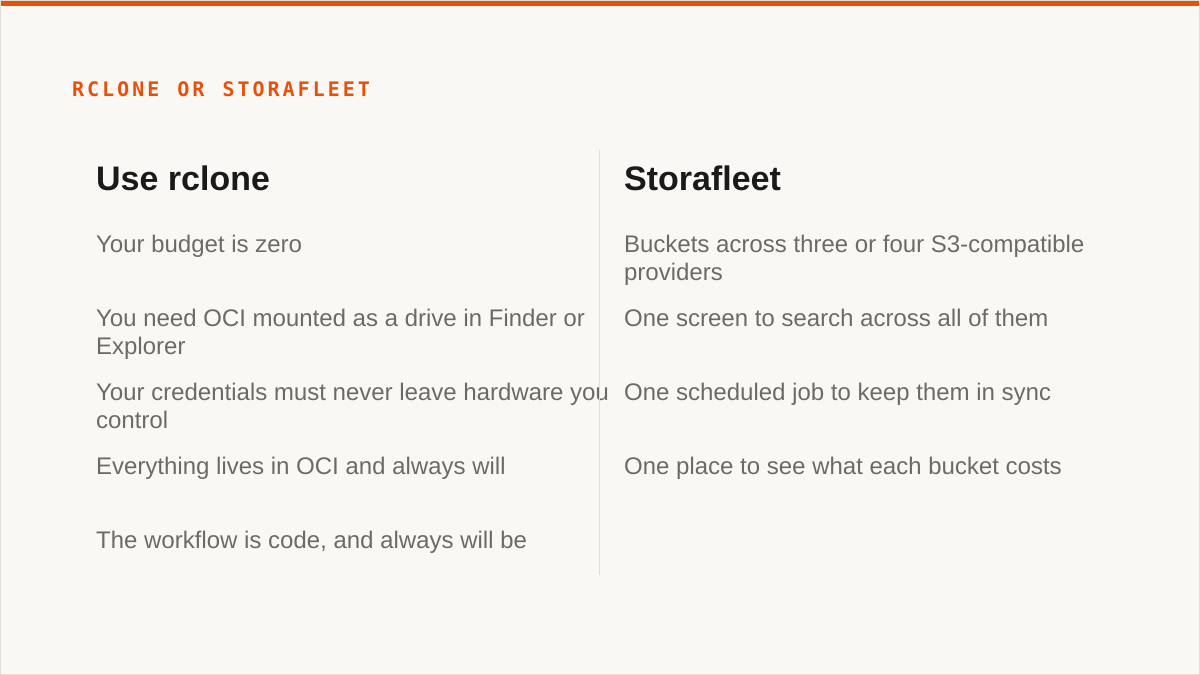
- Your budget is zero. The conversation is over and rclone wins. It is the right tool and there is nothing to sell you.
- You need OCI mounted as a drive in Finder or Explorer. We have no FUSE surface and never will. Use
rclone mount, Mountain Duck or ExpanDrive. - Your credentials must never leave hardware you control. That is a stronger security posture than ours and we will not pretend otherwise. Use rclone. The one exception: if the only cloud in play is AWS, we can connect by IAM role assumption with no long-lived key at all.
- Everything lives in OCI and always will. The OCI console is free, authoritative, and always current with OCI's newest features. We will always lag that.
- The workflow is code, and always will be. A CLI composes. A console does not. Stay where you are.
Who this is actually for: the person running buckets across three or four S3-compatible providers — OCI for one workload, R2 for the edge, B2 for the archive — who wants one screen to search across all of them, one scheduled job to keep them in sync, and one place to see what each bucket costs. We connect to the S3-compatible APIs of providers like AWS S3, Cloudflare R2, Backblaze B2, OCI and others in that family. Flat subscription, no per-gigabyte charge, migrated bytes unmetered on every tier including Free. If that is not your problem, rclone is a better answer and it costs nothing.
We are not going to tell you OCI egress is the cheapest on the market, because we have not measured it against your workload and neither has anyone else writing that sentence. OCI's pricing model charges for egress beyond a monthly free allowance, the way most providers do, and the number that matters is the one on your invoice. If cheap egress is the reason you picked OCI, you already know your number better than we do. What we can tell you is that our cost panel reads the same numbers you do and does not assume S3 rates.
You can paste the key. Or you can write one more cron line. Both are honest outcomes, and only one of them involves trusting us.